Spending hours glued to your computer screen, navigating spreadsheets, designing graphics, or conquering virtual worlds? If your hand constantly hovers over your mouse, chances are you’ve felt that familiar ache or stiffness creeping into your wrist. It’s a subtle signal your body sends, reminding you that your workstation might not be as friendly as it seems. But what if there was a simple, yet profoundly effective, solution to turn discomfort into effortless productivity? Enter the ergonomic wrist rest for your mouse – a small accessory with a big impact on your health and comfort.
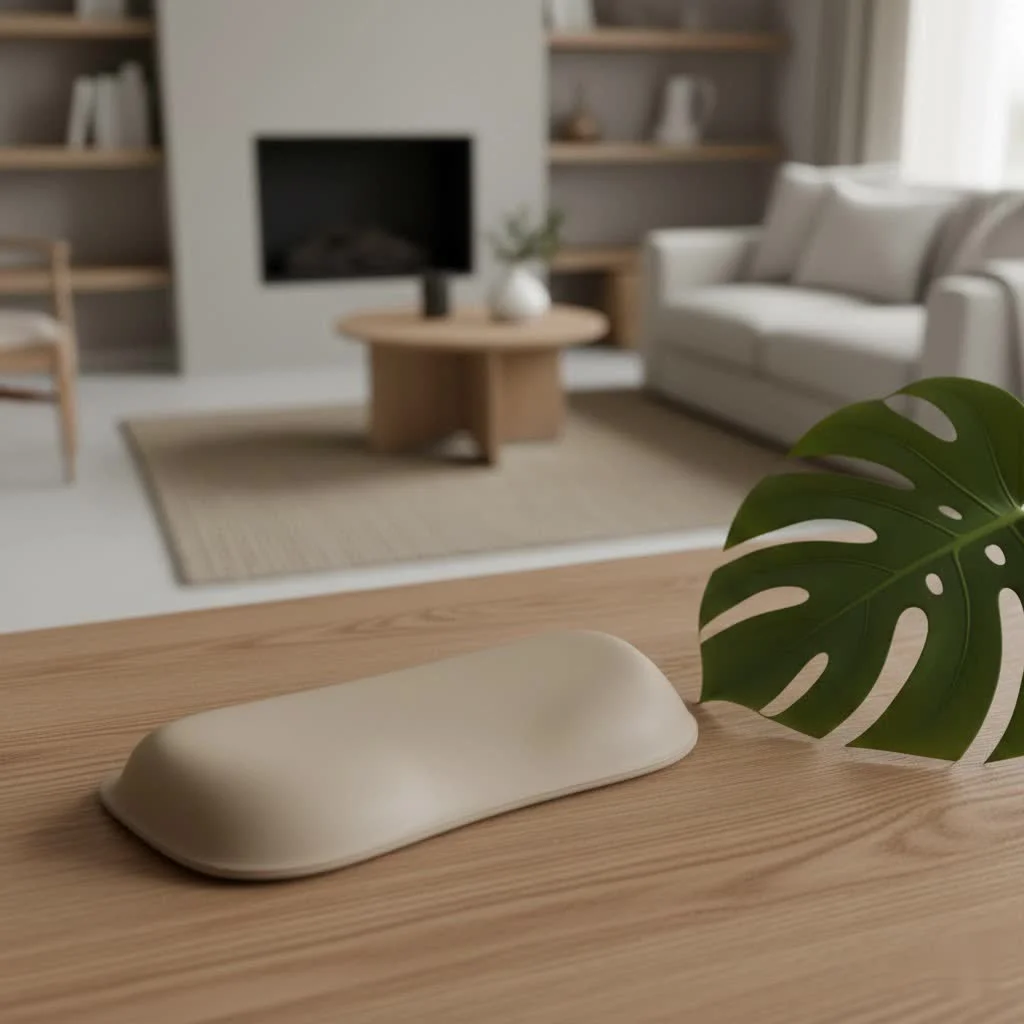
Here at MMPok, we believe that your health shouldn’t be compromised by your digital life. With over a decade of experience in developing cutting-edge tech accessories, we’ve seen firsthand the difference a thoughtfully designed ergonomic wrist rest can make. It’s not just about a cushion; it’s about a mindful approach to your well-being, ensuring every click and scroll is supported.
What is an Ergonomic Wrist Rest for a Mouse?
At its core, an ergonomic wrist rest for a mouse is a supportive pad designed to sit directly in front of your mouse. Its primary purpose isn’t just to give your wrist a soft place to land, but rather to promote a neutral, natural posture for your hand and wrist while you’re using your mouse. Think of it as a subtle alignment guide, working silently to keep your wrist straight and relaxed.
Why does your mouse hand need special attention? Unlike typing, where both hands share the load, your mouse hand often performs repetitive, precise movements in a more confined area. This singular focus can lead to disproportionate strain, making an ergonomic mouse wrist rest a crucial component of a healthy setup.
Why You Absolutely Need an Ergonomic Mouse Wrist Rest: The Health Benefits
If you’re wondering whether an ergonomic wrist rest for your mouse is just another office gadget, let me assure you, its benefits are far from trivial. For anyone spending significant time with a mouse, it’s a game-changer for long-term health and daily comfort.
Prevents Repetitive Strain Injuries (RSIs) & Carpal Tunnel Syndrome (CTS)
One of the most compelling reasons to use an ergonomic mouse wrist rest is its role in preventing common computer-related ailments. Repetitive Strain Injuries (RSIs), such as carpal tunnel syndrome, often arise from prolonged, awkward wrist positions that compress nerves and tendons. A good wrist rest helps maintain a neutral alignment, minimizing this compression and drastically reducing your risk. It’s like giving your wrist its very own bodyguard against the unseen threats of overuse.
Promotes Neutral Wrist Posture
|
Our Picks for the Best Wrist Rest in 2026
As an Amazon Associate I earn from qualifying purchases.
|
||
| Num | Product | Action |
|---|---|---|
| 1 | LỖI |

|
| 2 | MROCO Ergonomic Mouse Pad with Gel Wrist Rest, Comfortable Mousepad with Smooth Wrist Support Surface and Non-Slip PU Base for Pain Relief, Computer, Laptop, Office & Home, 9.4 x 8.1 in, Blue Marble |
|
| 3 | MROCO Ergonomic Mouse Pad with Gel Wrist Rest, Smooth Wrist Support Surface, Non-Slip PU Base for Pain Relief, Comfortable Mousepad for Computer, Laptop, Office & Home, 9.4 x 8.1 in, Black Flower |
|
| 4 | MEKASS Ergonomic Wrist Rest for Keyboard and Mouse, Soft Memory Foam Keyboard Wrist Rest Set with Non-Slip Silicone Base, Easy Typing, Pain Relief, Comfort for Office, Work, Gaming (Classic Black) |
|
| 5 | Keyboard Stand with Wrist Rest - Comfortable Wrist Pad for Easy Typing, Keyboard Tray for Office, Home, School (Fits Most Standard Keyboards) |
|
| 6 | GORILLA GRIP Silky Memory Foam Wrist Rest for Computer Keyboard, Mouse, Ergonomic Design for Typing Pain Relief, Desk Pads Support Hand and Arm, Mousepad Rests, Stain Resistant, 2 Piece Pad, Black |
|
| 7 | LỖI |
|
| 8 | LỖI |
|
| 9 | Vaydeer Wrist Rest for Keyboard and Mouse, Computer Ergonomic Wrist Support Pad, Soft Memory Foam Arm Cushion for Desk, Palm Hand Office Laptop Typing |
|
| 10 | MROCO Ergonomic Mouse Pad with Gel Wrist Rest, Smooth Wrist Support Surface, Non-Slip PU Base for Pain Relief, Comfortable Mousepad for Computer, Laptop, Office & Home, 9.4 x 8.1 in, Cloud Forest |
|
Imagine holding your wrist perfectly straight – that’s the neutral posture we’re aiming for. Without proper support, it’s easy for your wrist to bend upwards (extension) or downwards (flexion), or even sideways, during mouse use. These unnatural angles put undue stress on the delicate structures within your wrist. An ergonomic wrist rest gently elevates and cradles the heel of your palm, guiding your wrist into that ideal, straight line, alleviating pressure before it even starts.
Reduces Strain and Fatigue
Think about how many micro-movements your mouse hand makes in an hour. Now multiply that by an entire workday. Without support, your muscles and tendons are constantly working to stabilize your wrist, leading to strain and fatigue. A quality ergonomic mouse wrist rest provides a cushioned surface that absorbs some of that stress, allowing your muscles to relax more frequently. This means less soreness at the end of the day and more energy for everything else.
Enhances Comfort and Productivity
Let’s be honest, discomfort is a productivity killer. When your wrist is aching, your focus shifts from the task at hand to managing the pain. By providing a soft, supportive foundation, an ergonomic wrist rest enhances your overall comfort, allowing you to concentrate better and work more efficiently for longer periods. It’s not just about preventing pain; it’s about creating a work environment where you can truly thrive.
Understanding the Different Types and Materials
Just like choosing the right ergonomic mouse, selecting the right ergonomic wrist rest involves understanding the various options available. The material and design significantly impact comfort, support, and durability.
Gel Wrist Rests
Gel wrist rests are often praised for their unique combination of softness and support. The gel material is typically squishy but resilient, conforming to the shape of your palm while maintaining its structure. Many users appreciate the slight cooling sensation some gel rests provide, which can be a welcome bonus during long work sessions. They are also generally easy to clean, making them a practical choice for everyday use.
Memory Foam Wrist Rests
If personalized comfort is your priority, memory foam wrist rests might be your perfect match. This material is renowned for its ability to mold precisely to the contours of your hand and wrist, offering custom support that distributes pressure evenly. Over time, memory foam retains its shape, providing consistent cushioning. It offers a softer, more plush feel compared to gel, making it excellent for reducing localized pressure points.
Other Materials (Silicone, Cloth)
Beyond gel and memory foam, you’ll also find wrist rests made from silicone or cloth. Silicone tends to be firmer and more durable, often preferred in high-use settings for its longevity and non-slip properties. Cloth-covered rests, sometimes filled with beads or standard foam, offer a soft, lightweight option and a smooth surface for subtle movements. While they may offer less contouring than gel or memory foam, they can still provide significant pressure relief from hard desk edges.
Integrated Mouse Pads vs. Standalone Rests
Ergonomic mouse wrist rests come in two main configurations: standalone rests that you place in front of your existing mouse pad, or integrated mouse pads that have a built-in wrist rest. Integrated mouse pads offer a seamless surface for mouse movement and wrist support, ensuring everything is perfectly aligned. Standalone rests provide flexibility if you already have a preferred mouse pad or need to adjust the rest’s position independently.
How to Choose the Perfect Ergonomic Wrist Rest for Your Mouse
Finding the “one” can feel a bit like a quest, but with the right guidance, you’ll pick an ergonomic mouse wrist rest that feels custom-made for you.
Material Matters: Gel vs. Memory Foam – Which is Right for You?
The choice between gel and memory foam often comes down to personal preference.
- Opt for Gel if you prefer a cooler feel, easy-to-clean surface, and a balance of softness with resilient support.
- Choose Memory Foam if you desire highly personalized contouring, maximum pressure distribution, and a consistently plush feel.
Consider trying both if possible, as the tactile experience is highly individual.
Size and Shape: Matching Your Hand and Mouse Usage
An ergonomic wrist rest for your mouse should comfortably accommodate the heel of your palm. Some rests are smaller and more compact, while others offer a wider base. If you have a larger hand, a wider rest might provide better overall support. Also, consider your mouse movement style; if you make broad strokes, ensure the rest doesn’t impede your natural range of motion. Contoured shapes are also available, designed to naturally fit the curve of your hand.
Height and Firmness: Achieving Proper Alignment
This is where true ergonomics shines. The wrist rest’s height should allow your wrist to remain in a neutral (straight) position, in line with your forearm. It should not force your wrist to bend upwards or downwards. Similarly, the firmness should be supportive enough to elevate your palm but soft enough to prevent pressure points. Some adjustable models allow you to fine-tune the height, which can be incredibly beneficial.
Non-Slip Base: Stability is Key
A wobbly wrist rest is more of a nuisance than a help. Ensure your chosen ergonomic mouse wrist rest has a sturdy, non-slip base (often rubber or silicone) that keeps it securely in place on your desk. This prevents frustrating shifts during intense mouse use and ensures consistent support.
Overall Ergonomic Setup: Integrating with Your Desk, Chair, and Mouse
Remember, a wrist rest is one piece of the ergonomic puzzle. For optimal results, it should integrate seamlessly with your entire workstation.
- Chair: Ensure your chair is at a height where your forearms are roughly parallel to the floor, with your elbows at a 90-110-degree angle.
- Desk: Your desk height should allow your keyboard and mouse to be at a comfortable level.
- Mouse: Consider an ergonomic mouse itself, such as a vertical mouse, to further reduce wrist strain.
Using Your Ergonomic Mouse Wrist Rest the Right Way
This is perhaps the most critical section because, paradoxically, using a wrist rest incorrectly can negate its benefits and even cause harm.
It’s a “Palm Rest,” Not a “Wrist Rest”
The biggest misconception is that you should rest your actual wrist on the pad. Incorrect! Your wrist rest should make contact with the heel of your palm – the fleshy part just below your wrist joint. This keeps the delicate carpal tunnel region free from pressure, which is crucial for preventing conditions like carpal tunnel syndrome. Think of it as supporting your hand, not compressing your wrist.
Resting, Not Leaning
Your ergonomic mouse wrist rest is primarily for resting your hand between active mouse movements, or for maintaining alignment during light use. You shouldn’t constantly lean your full weight on it while actively moving your mouse. Your hands should be able to float freely above the rest when you’re making large movements, only making contact when you pause or for gentle support during small adjustments.
Maintaining Neutral Alignment: The Golden Rule
Always strive for that neutral wrist position. Your wrist should be a straight extension of your forearm, not bent up, down, or to either side. The wrist rest for your mouse is there to facilitate this, not to force an unnatural angle. If you find yourself bending your wrist to accommodate the rest, it’s either the wrong size/height, or you’re using it incorrectly.
Expert Insight: The MMPok Philosophy on Wrist Health
“At MMPok, we don’t just sell accessories; we champion a healthier way to work and play,” says Dr. Anya Sharma, Lead Ergonomics Specialist at MMPok. “An ergonomic wrist rest for your mouse is an investment in your future comfort, allowing you to maintain peak performance without compromising your well-being. It’s about proactive care, not just reactive relief.”
FAQs about Ergonomic Mouse Wrist Rests
Let’s address some common questions that pop up when considering an ergonomic mouse wrist rest.
Are ergonomic mouse wrist rests truly necessary?
For individuals who spend extended periods using a computer mouse, especially those experiencing discomfort or at risk of RSIs, an ergonomic mouse wrist rest can be incredibly beneficial for promoting neutral wrist posture and reducing strain.
Can a wrist rest actually cause problems?
Yes, if used improperly. Resting your actual wrist directly on the pad, or using a rest that is too hard or too high, can put pressure on nerves and tendons, potentially exacerbating or even causing conditions like carpal tunnel syndrome. Always remember to support the heel of your palm, not your wrist.
How often should I replace my mouse wrist rest?
The lifespan of a mouse wrist rest depends on its material quality and frequency of use. Gel and memory foam models might show signs of compression or wear after 1-3 years. If your rest loses its supportive properties or becomes uncomfortable, it’s time for a replacement.
What’s the best material for a mouse wrist rest?
The “best” material is subjective and depends on individual preference. Gel offers soft, resilient support with a potentially cooling feel, while memory foam provides personalized contouring. Consider which sensation and support level you find most comfortable for your ergonomic mouse wrist rest needs.
Can I use a wrist rest if I already have Carpal Tunnel Syndrome?
While an ergonomic mouse wrist rest can help prevent CTS, if you already have the condition, consult with a healthcare professional. A properly used, soft palm rest that maintains neutral alignment may offer some relief, but it should be part of a broader treatment plan.
Conclusion
Embracing an ergonomic wrist rest for your mouse isn’t just about adding another accessory to your desk; it’s about making a conscious choice for your long-term health and comfort. From preventing debilitating RSIs like carpal tunnel syndrome to simply making your workday more comfortable, the benefits are undeniable. By choosing the right material, ensuring proper size and height, and, most importantly, using it correctly by supporting your palm instead of your wrist, you can transform your mousing experience.
Take that crucial step towards a more ergonomic workstation today. Your wrists will thank you, and you’ll experience a level of comfort and sustained productivity you might not have thought possible. Explore the MMPok range and discover the perfect ergonomic wrist rest for your mouse that seamlessly integrates into your digital life.
Get our weekly buyer guide
Practical specs, not advice. Unsubscribe anytime.