Let’s face it, in today’s digital world, many of us spend countless hours hunched over a keyboard. Whether you’re a professional churning out reports, a student writing essays, or a gamer immersed in virtual worlds, this repetitive activity can take a serious toll on your body. The constant strain on your wrists, hands, and forearms can lead to discomfort, pain, and even debilitating conditions like Carpal Tunnel Syndrome. But what if there was a way to type more comfortably, efficiently, and healthily? Enter the ergonomic keyboard with a wrist rest—a game-changer for anyone looking to transform their typing experience.
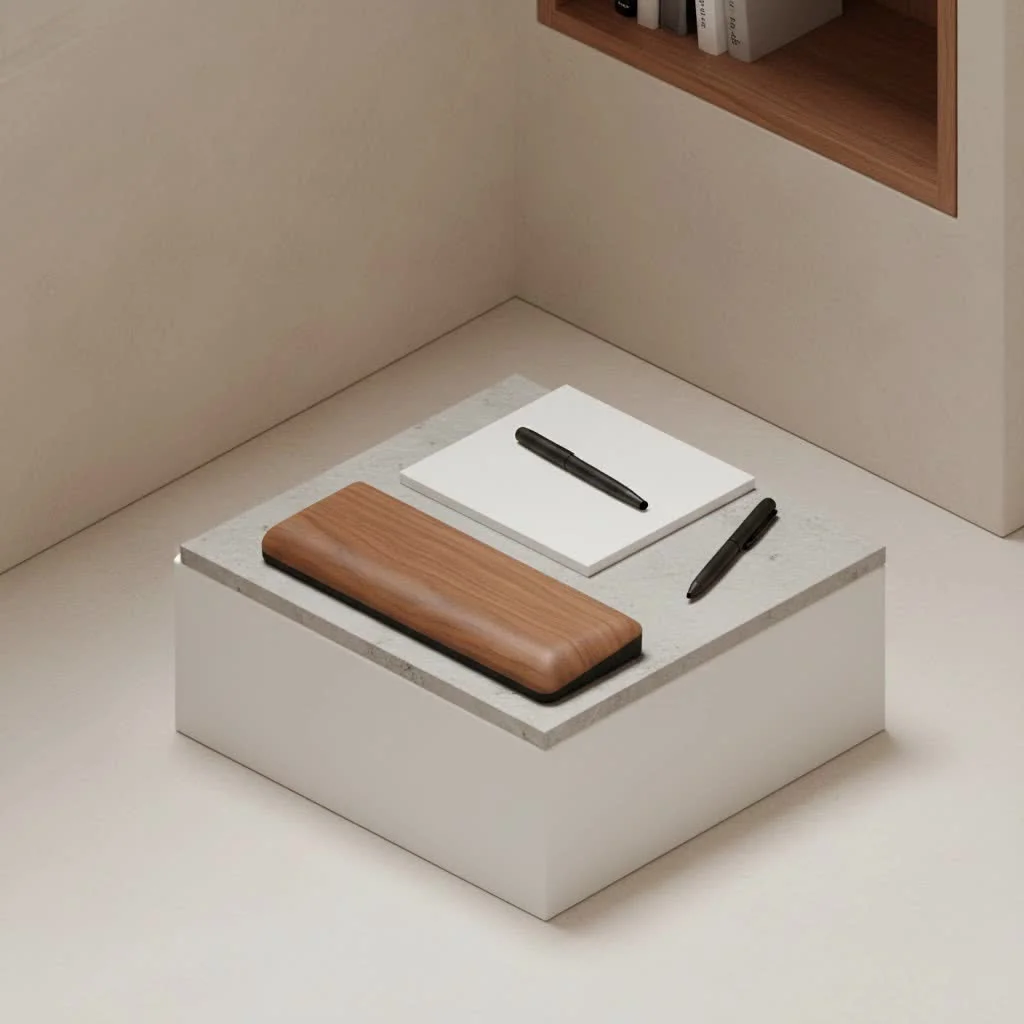
At MMPok, we understand the critical role your peripherals play in your overall well-being and productivity. This comprehensive guide will demystify ergonomic keyboards with integrated wrist rests, exploring their benefits, diverse types, and key features to help you choose the perfect match for your needs. Get ready to give your wrists (and your entire body) the support they deserve!
What Exactly is an Ergonomic Keyboard with a Wrist Rest?
Think of a traditional keyboard. It’s flat, straight, and often forces your hands into unnatural, angled positions. An ergonomic keyboard, on the other hand, is specifically designed to promote a more natural and relaxed posture for your hands, wrists, and arms while typing. It’s about working with your body’s natural alignment, not against it.
The “wrist rest” component is crucial here. While often called a “wrist rest,” its true purpose is to support your palms and forearms, allowing your wrists to remain in a neutral, straight position. This is key to minimizing pressure on the median nerve in your wrist, which can prevent the development of painful conditions. Unlike separate wrist rests that can shift or be incorrectly positioned, an integrated wrist rest ensures consistent support, becoming a seamless extension of the keyboard’s thoughtful design. It’s like having a custom-fitted glove for your typing needs.
Why Your Wrists (and Body) Will Thank You: The Benefits of Ergonomic Keyboards with Wrist Rests
Switching to an ergonomic keyboard with a wrist rest isn’t just about comfort; it’s an investment in your long-term health and productivity. Here’s how it makes a real difference:
Reduced Risk of Repetitive Strain Injuries (RSIs)
One of the most compelling reasons to adopt an ergonomic keyboard is its ability to significantly reduce the risk of Repetitive Strain Injuries (RSIs). Conditions like Carpal Tunnel Syndrome and Tendonitis often stem from prolonged, awkward wrist postures. Ergonomic designs, especially those with integrated wrist rests, help maintain a neutral wrist position, alleviating pressure on nerves and tendons. By promoting natural hand positioning, these keyboards make typing a more comfortable experience over time, reducing the risk of injuries.
Enhanced Comfort for Long Typing Sessions
|
Our Picks for the Best Wrist Rest in 2026
As an Amazon Associate I earn from qualifying purchases.
|
||
| Num | Product | Action |
|---|---|---|
| 1 | MROCO Ergonomic Mouse Pad with Gel Wrist Rest, Smooth Wrist Support Surface, Non-Slip PU Base for Pain Relief, Comfortable Mousepad for Computer, Laptop, Office & Home, 9.4 x 8.1 in, Black Flower |

|
| 2 | MEKASS Ergonomic Wrist Rest for Keyboard and Mouse, Soft Memory Foam Keyboard Wrist Rest Set with Non-Slip Silicone Base, Easy Typing, Pain Relief, Comfort for Office, Work, Gaming (Classic Black) |
|
| 3 | LỖI |
|
| 4 | Vaydeer Wrist Rest for Keyboard and Mouse, Computer Ergonomic Wrist Support Pad, Soft Memory Foam Arm Cushion for Desk, Palm Hand Office Laptop Typing |
|
| 5 | MROCO Ergonomic Mouse Pad with Gel Wrist Rest, Comfortable Mousepad with Smooth Wrist Support Surface and Non-Slip PU Base for Pain Relief, Computer, Laptop, Office & Home, 9.4 x 8.1 in, Blue Marble |
|
| 6 | Keyboard Stand with Wrist Rest - Comfortable Wrist Pad for Easy Typing, Keyboard Tray for Office, Home, School (Fits Most Standard Keyboards) |
|
| 7 | GORILLA GRIP Silky Memory Foam Wrist Rest for Computer Keyboard, Mouse, Ergonomic Design for Typing Pain Relief, Desk Pads Support Hand and Arm, Mousepad Rests, Stain Resistant, 2 Piece Pad, Black |
|
| 8 | MROCO Ergonomic Mouse Pad with Gel Wrist Rest, Smooth Wrist Support Surface, Non-Slip PU Base for Pain Relief, Comfortable Mousepad for Computer, Laptop, Office & Home, 9.4 x 8.1 in, Cloud Forest |
|
| 9 | LỖI |
|
| 10 | LỖI |
|
Picture this: you’re deep in concentration, typing away, and suddenly your wrists ache, your fingers feel stiff, and your shoulders are bunched up around your ears. Sound familiar? Ergonomic keyboards are meticulously crafted to combat this discomfort during prolonged typing. Users frequently report less fatigue and pain in their hands, wrists, and shoulders, allowing them to stay focused on their work rather than being distracted by aches. Comfort isn’t a luxury; it’s a necessity for sustained productivity.
Improved Posture and Overall Wellness
The benefits extend beyond your wrists. Ergonomic keyboards encourage better overall posture by aligning your hands, wrists, and arms in a more natural position. This improved alignment can have a positive ripple effect, benefiting your neck and back by reducing the risk of strain and discomfort throughout your upper body. When your hands are positioned correctly, it naturally encourages a more upright and relaxed seated posture.
Boosted Productivity and Typing Efficiency
While there might be a slight adjustment period, ergonomic keyboards can ultimately boost your typing speed and accuracy. By limiting the unnatural movements your hands and wrists make, and reducing the need to stretch or twist your fingers to reach keys, these keyboards make typing more efficient. When you’re comfortable and free from pain, you can stay focused and work longer without needing frequent breaks, leading to increased productivity.
Diving Deeper: Types and Features of Ergonomic Keyboards with Wrist Rests
Ergonomics isn’t a one-size-fits-all concept, and the world of ergonomic keyboards reflects this diversity. Here are the main types and features you’ll encounter:
Split Keyboards
This design is a hallmark of many ergonomic keyboards, dividing the key area into two or more sections. This allows you to position each half at a distance and angle that feels natural for your body, reducing the inward bending (ulnar deviation) that traditional keyboards often demand. Some split keyboards are fixed, while others are fully adjustable, letting you customize the separation distance for greater comfort and to better suit your shoulder width.
Contoured and Wave Layouts
These keyboards feature a curved or wave-like shape that closely follows the natural curvature of your hands and fingers. The keys might be set at different depths to accommodate varying finger lengths, minimizing the need to stretch and enhancing typing comfort and efficiency. Examples like the Logitech Wave Keys utilize this approach, offering a gentler introduction to ergonomics than a fully split design.
Tented Keyboards
Tented keyboards elevate the center of the keyboard, creating an upward slope that resembles a “tent” shape. This design reduces forearm pronation—the turning of your palms downward—and encourages a more natural, “handshake” position. This can alleviate pressure on the median nerve and is especially beneficial for users who experience discomfort from keeping their wrists flat for extended periods.
The All-Important Wrist Rest
The integrated wrist rest is a cornerstone of an ergonomic keyboard. Its purpose is to provide consistent support for your palms and forearms, ensuring your wrists remain neutral.
- Integrated vs. Detachable: Some keyboards have a built-in wrist rest, offering a cohesive design. Others feature detachable wrist rests, providing flexibility if you prefer a different material or need to adjust your setup.
- Materials: Wrist rests commonly come in materials like plush fabric, gel, or memory foam, each offering different levels of cushioning and support. A padded wrist rest is crucial for added comfort, especially during long typing sessions.
Other Key Features to Consider
Beyond the core ergonomic designs, several other features can enhance your experience:
- Adjustability: Look for keyboards with adjustable stands that allow you to customize the tilt, height, and angle. Features like “negative tilt” (where the front of the keyboard is higher than the back) can further promote a neutral wrist position.
- Key Switch Types: Keyboards come with either membrane or mechanical key switches. Membrane keyboards are generally quieter and softer to press, while mechanical keyboards offer more tactile feedback. For those with existing muscle tension or pain, low-action and low-force keys (requiring less pressure to activate) are often recommended to reduce the workload on your fingers and hands.
- Wireless vs. Wired: Wireless options offer greater flexibility and a cleaner desk setup, while wired keyboards provide a reliable, lag-free connection.
- Programmable Keys/Macro Keys: Some advanced ergonomic keyboards offer customizable keys or macro capabilities, allowing you to streamline workflows.
- Compact Size and Portability: If you work in multiple locations, a compact ergonomic keyboard can be easier to transport and may allow you to keep your mouse closer, reducing reach and strain.
Choosing Your Perfect Match: A Practical Guide to Selecting an Ergonomic Keyboard with a Wrist Rest
Finding the right ergonomic keyboard with a wrist rest is a personal journey, as what works best depends entirely on your body and your typing habits. Here’s a practical guide to help you make an informed decision:
Understand Your Typing Habits and Needs
Before you start shopping, take a moment to assess your typical workday. How many hours do you spend typing? Do you already experience any wrist, hand, or shoulder pain? Are you primarily gaming, coding, writing, or doing general office work? Your answers will help narrow down the options. For instance, a gamer might prioritize different features than a data entry professional.
Prioritize Adjustability
The ability to customize your keyboard’s angles and positioning is paramount. Look for models that offer adjustable tilt, tenting, and even split capabilities. Ideally, an ergonomic keyboard should allow you to adjust it on both horizontal and vertical planes, letting your hands float naturally over the keys without straining. This flexibility ensures you can achieve that crucial neutral wrist position.
Consider the Wrist Rest Material and Design
Since the wrist rest is a key component, pay attention to its material and how it integrates with the keyboard. Padded or gel wrist rests can offer superior comfort. Consider whether an integrated rest suits your setup or if a detachable one provides more versatility. Remember, the rest should support your palms and forearms, not directly your wrists.
Test Drive (If Possible!)
This is perhaps the most valuable tip. If you have the opportunity, try out different ergonomic keyboards before committing. The feel of the key switches, the curvature of the board, and the overall fit can vary greatly. Be patient; there’s often a learning curve when transitioning to a new ergonomic layout. It might take a few weeks to build new muscle memory, but the long-term benefits are worth it.
Don’t Forget Key Switches
The type of key switches can impact comfort and prevent strain. If you have concerns about muscle tension or existing pain, opt for keyboards with low-action and low-force keys. These require less pressure and travel distance, reducing the workload on your fingers and hands. Tactile feedback is also important, providing an indication that a key has been pressed without requiring excessive force.
Expert Insight: What the Pros Say
“When people ask me about the single most impactful change they can make to their workstation for long-term health, an ergonomic keyboard with a well-designed wrist rest is always at the top of the list,” says Dr. Anya Sharma, Lead Ergonomics Researcher at MMPok Labs. “It’s not just about preventing Carpal Tunnel; it’s about fostering a holistic approach to comfort that positively impacts your entire upper body. The right setup can truly transform your daily experience.”
Frequently Asked Questions About Ergonomic Keyboards with Wrist Rests
How long does it take to get used to an ergonomic keyboard?
The adjustment period varies for everyone, but typically ranges from a few days to a few weeks. Keyboards with more radical designs (like fully split or columnar layouts) might take longer to master, but with consistent use, new muscle memory develops, and typing becomes natural and comfortable.
Can an ergonomic keyboard cure carpal tunnel syndrome?
While an ergonomic keyboard can significantly alleviate symptoms and help prevent the progression of Carpal Tunnel Syndrome by promoting a neutral wrist posture, it’s not a “cure.” If you’re experiencing severe symptoms, it’s essential to consult a medical professional for diagnosis and treatment. However, an ergonomic keyboard is a crucial part of a preventive and management strategy.
Are integrated wrist rests better than separate ones?
Integrated wrist rests often offer consistent support as they are designed as part of the keyboard’s overall ergonomic geometry. This ensures proper alignment and reduces the chance of misplacement. Separate wrist rests offer flexibility but require careful positioning to ensure they contribute positively to ergonomics rather than hindering it. For consistent, reliable support, integrated designs are often preferred.
What’s the ideal wrist position when using a wrist rest?
The ideal position is a “neutral” one, meaning your wrists should be straight, not bent up, down, or to the sides. Your fingers should gently curve over the keys. The wrist rest should support the base of your palms or forearms, allowing your wrists to float freely above the typing surface. Avoid resting your wrists directly on the pad while actively typing; use it as a resting point between typing bursts.
Do ergonomic keyboards work for gamers?
Absolutely! Many ergonomic keyboards are designed with gamers in mind, offering features like mechanical switches, customizable key binds, and durable builds. The benefits of reduced strain and increased comfort are just as important for extended gaming sessions as they are for prolonged work. A comfortable gamer is a focused gamer!
Final Thoughts: Invest in Your Well-being
In a world where our hands and wrists are constantly engaged with technology, neglecting their health is a costly mistake. An ergonomic keyboard with a thoughtfully designed wrist rest isn’t just a peripheral; it’s a vital tool for preventing pain, enhancing comfort, and boosting your long-term productivity. By understanding the various types, features, and benefits, you’re now equipped to make an informed choice that will serve your health for years to come.
Take the leap. Invest in your well-being. Your hands, wrists, and entire body will thank you for making the switch to a more comfortable and ergonomic typing experience. Share your journey with us and discover a new level of comfort with MMPok!
Get our weekly buyer guide
Practical specs, not advice. Unsubscribe anytime.