A computer mouse wrist rest is a vital ergonomic tool that supports the palm or base of the hand, maintaining a neutral wrist position to prevent discomfort, reduce fatigue, and protect against repetitive strain injuries (RSIs) like Carpal Tunnel Syndrome. By distributing pressure evenly and promoting proper alignment, these accessories enhance comfort and productivity during prolonged computer use. Studies show proper wrist support can reduce muscle fatigue in upper arm muscles by up to 32% during long sessions.
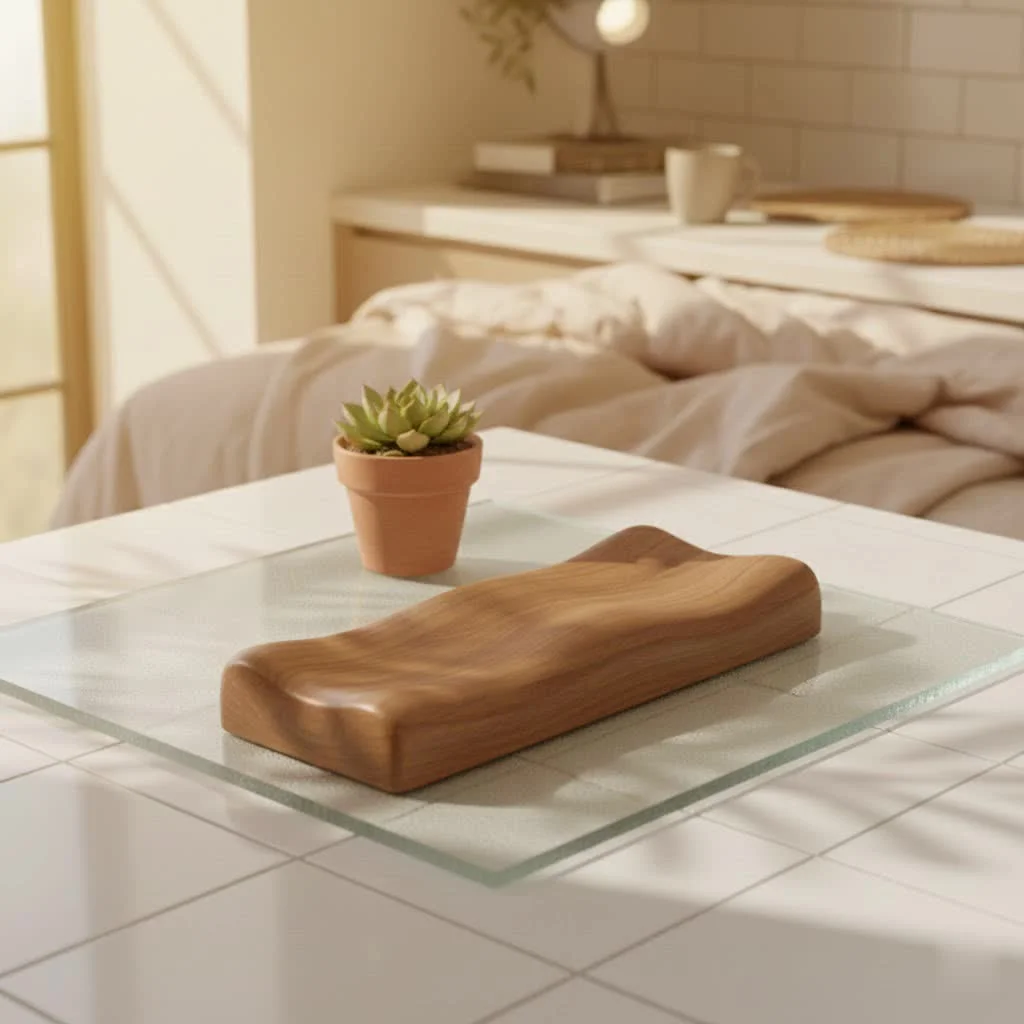
Why a Computer Mouse Wrist Rest Matters: The Core Benefits
Many people underestimate the profound impact a simple computer mouse wrist rest can have on their daily life. Beyond just feeling good, these ergonomic tools offer a cascade of health and performance advantages. For shop curated ergonomic computer on this site.
Preventing RSIs and Carpal Tunnel Syndrome
Repetitive Strain Injuries (RSIs), such as Carpal Tunnel Syndrome, are a serious concern for computer users. These conditions arise from prolonged repetitive motions and awkward postures. A quality mouse wrist rest helps keep your wrist in a neutral, straight position, significantly reducing the strain on the tendons and nerves that run through your wrist. By providing this crucial support, it acts as a preventative measure against the development of painful and debilitating conditions.
Enhancing Comfort and Reducing Fatigue
Think about how often your wrist rests against the hard edge of your desk. Over time, this constant pressure can lead to discomfort, soreness, and early fatigue. A mouse wrist rest provides a cushioned buffer, distributing pressure evenly across your palm and forearm, rather than concentrating it on a single point. This enhanced comfort allows you to work or game for longer periods without feeling that familiar burn or ache, keeping your focus where it needs to be.
Promoting Neutral Posture and Alignment
The human body is designed for natural alignment. When you use a mouse without proper support, your wrist often extends upwards or bends awkwardly to the side. A computer mouse wrist rest encourages your hand and wrist to stay in a neutral, natural position, which in turn supports better posture for your entire arm, shoulder, and even your upper back. This alignment is key to reducing overall musculoskeletal stress.
Relieving Pressure Points and Improving Circulation
The cushioning provided by a wrist rest does more than just feel good; it actively works to relieve pressure points that can restrict blood flow and nerve function. By gently elevating your palm and preventing direct contact with hard surfaces, a mouse wrist rest can help maintain better circulation to your hands and fingers. Improved circulation means less numbness, tingling, and a lower risk of developing issues often associated with prolonged computer use.
Boosting Productivity
|
Our Picks for the Best Wrist Rest in 2026
As an Amazon Associate I earn from qualifying purchases.
|
||
| Num | Product | Action |
|---|---|---|
| 1 | MROCO Ergonomic Mouse Pad with Gel Wrist Rest, Comfortable Mousepad with Smooth Wrist Support Surface and Non-Slip PU Base for Pain Relief, Computer, Laptop, Office & Home, 9.4 x 8.1 in, Blue Marble |

|
| 2 | MROCO Ergonomic Mouse Pad with Gel Wrist Rest, Smooth Wrist Support Surface, Non-Slip PU Base for Pain Relief, Comfortable Mousepad for Computer, Laptop, Office & Home, 9.4 x 8.1 in, Cloud Forest |
|
| 3 | LỖI |
|
| 4 | MEKASS Ergonomic Wrist Rest for Keyboard and Mouse, Soft Memory Foam Keyboard Wrist Rest Set with Non-Slip Silicone Base, Easy Typing, Pain Relief, Comfort for Office, Work, Gaming (Classic Black) |
|
| 5 | LỖI |
|
| 6 | GORILLA GRIP Silky Memory Foam Wrist Rest for Computer Keyboard, Mouse, Ergonomic Design for Typing Pain Relief, Desk Pads Support Hand and Arm, Mousepad Rests, Stain Resistant, 2 Piece Pad, Black |
|
| 7 | LỖI |
|
| 8 | Vaydeer Wrist Rest for Keyboard and Mouse, Computer Ergonomic Wrist Support Pad, Soft Memory Foam Arm Cushion for Desk, Palm Hand Office Laptop Typing |
|
| 9 | MROCO Ergonomic Mouse Pad with Gel Wrist Rest, Smooth Wrist Support Surface, Non-Slip PU Base for Pain Relief, Comfortable Mousepad for Computer, Laptop, Office & Home, 9.4 x 8.1 in, Black Flower |
|
| 10 | Keyboard Stand with Wrist Rest - Comfortable Wrist Pad for Easy Typing, Keyboard Tray for Office, Home, School (Fits Most Standard Keyboards) |
|
It’s simple: when you’re comfortable, you’re more productive. Persistent pain and discomfort are major distractions that break your concentration and force you to take frequent breaks. By mitigating these issues, a well-chosen computer mouse wrist rest allows you to focus more effectively on your tasks, leading to fewer interruptions and a smoother workflow. In fact, studies show that proper wrist support can reduce muscle fatigue in upper arm muscles by up to 32% during long sessions, translating directly into sustained performance.
Understanding the Different Types and Materials
The world of computer mouse wrist rests offers a variety of materials and designs, each with its own unique feel and benefits. Understanding these differences is key to finding the perfect match for your needs.
Gel Wrist Rests
Gel wrist rests are renowned for their soft, pliable, and often cooling properties. The gel material adapts to the contours of your hand, providing personalized support and excellent pressure distribution. They are typically easy to clean and maintain, making them a popular choice for many users seeking immediate comfort and a cool sensation during long hours. Products like the Kensington Duo Gel are well-regarded for their gel cushioning and ventilation channels, which help keep hands cool.
Memory Foam Wrist Rests
Memory foam is another highly favored material, known for its ability to conform precisely to the shape of your hand and palm. This material offers a soft yet supportive cushion that cradles your hand, reducing strain and fatigue over extended periods. Some advanced memory foam options are even infused with cooling gel beads to dissipate heat, offering the best of both worlds. The Razer Ergonomic Wrist Rest Pro, for instance, features cooling gel-infused memory foam for added comfort.
Beaded Wrist Rests
For those who prefer a more dynamic and breathable feel, beaded wrist rests are an excellent option. Filled with small beads, these rests allow for natural movement and excellent air circulation, preventing heat buildup. They can be easily molded to fit your specific hand shape and position, offering customizable support that many find incredibly comfortable. The HandStands Beaded Keyboard & Mouse Wrist Rest Combo exemplifies this type with its breathable poly/cotton blend cover.
Silicone, Leather, and Wood Options
Beyond the most common, you’ll find wrist rests crafted from other distinct materials:
- Silicone: Offers a firmer, highly durable, and easy-to-clean surface, ideal for those who prefer sturdy support and a long-lasting product.
- Leather/PU Leather: Provides a premium, sophisticated aesthetic and a firm yet comfortable feel. These are often chosen for their elegant look and easy maintenance. The Castle Bailey Leather Wrist Rest is a notable example.
- Wood: For users who appreciate a natural touch and a very firm, stable surface, wooden wrist rests offer robust support and can add a refined look to any desk setup. The Glorious Gaming Wooden Wrist Rest is a popular choice for its durable construction and elegant design.
Integrated vs. Standalone Designs
Computer mouse wrist rests come in two main configurations:
- Integrated Mouse Pads with Rests: These combine the mouse tracking surface with a built-in wrist support. They offer a cohesive solution and ensure consistent positioning between your mouse and support.
- Standalone Mouse Wrist Rests: These are separate pads that you place in front of your mouse. This offers more flexibility in positioning and can be ideal if you frequently adjust your mouse’s location or prefer to mix and match.
Choosing Your Ideal Computer Mouse Wrist Rest: A Practical Guide
Selecting the perfect computer mouse wrist rest involves a bit more than just picking the first one you see. It’s about understanding your unique needs and matching them to the right product.
Considering Material and Firmness
Your personal preference for how a wrist rest feels is paramount. Do you like a super soft, squishy cushion, or do you prefer something firmer that provides more rigid support?
- Soft materials (gel, memory foam, beads): Best for comfort, pressure distribution, and adaptability.
- Firm materials (silicone, leather, wood): Ideal for stable support and durability.”The material and firmness of your wrist rest significantly impact long-term comfort and ergonomic benefit,” advises Dr. Alex Tran, a leading expert in occupational ergonomics at MMPok. “Experiment with different textures to find what truly supports your natural hand posture without creating new pressure points.”
Finding the Right Height and Profile
The height of your mouse wrist rest is critical. It should be just tall enough to keep your wrist in a neutral, straight line with your forearm when your hand is on the mouse, without causing your wrist to bend upwards (extension) or downwards (flexion). If the rest is too high or too low, it can actually exacerbate wrist strain. Some wrist rests feature adjustable heights, allowing for fine-tuning to your specific setup and hand size. Ensure the rest aligns with the height of your mousing surface.
Matching Size and Shape to Your Hand and Setup
Wrist rests come in various shapes and sizes, from compact pads to extended contours.
- Contoured or L-shaped designs: Often best for fitting the natural curve of your hand and offering targeted support.
- Extended pads: Provide more surface area, which can be beneficial if you move your mouse across a larger range or prefer extra room to rest your forearm.Consider your hand size and your mouse grip. For example, some firm mouse rests work better with standard or low-profile mice, while others are better suited for vertical or oversized mice.
The Importance of a Non-Slip Base
A non-slip base is an absolute must-have feature for any computer mouse wrist rest. There’s nothing more frustrating than a wrist rest that slides around your desk every time you move your mouse. A stable, non-skid rubber or silicone base ensures that your wrist support stays precisely where you need it, providing consistent comfort and alignment without interruption.
Exploring Extra Features
While not essential for everyone, some mouse pads with wrist rests offer additional features that can enhance your experience:
- Ventilation channels: Help keep your hands cool and prevent sweat buildup.
- Wireless charging: Some advanced mouse pads integrate wireless charging capabilities for compatible devices, adding convenience to your workspace.
Using Your Computer Mouse Wrist Rest Correctly for Maximum Benefit
This is perhaps the most crucial section, as improper use can negate the benefits and even lead to new problems. The goal of a computer mouse wrist rest is support, not pressure.
The Golden Rule: Support Your Palm, Not Your Wrist
This is a major upgrade. A common misconception is that you should rest the sensitive underside of your wrist joint directly on the pad. This is incorrect and can be harmful. Resting your wrist directly on the support can compress the carpal tunnel, restrict blood flow, and pinch the median nerve – precisely what you’re trying to avoid. Instead, the wrist rest should be positioned to support the fleshy part of your palm or the base of your hand, allowing your actual wrist joint to float freely. This distinction ensures support without harmful compression.
Achieving a Neutral Wrist Position
When your hand is on the mouse, your wrist should remain as straight and flat as possible, in a neutral, relaxed position. Imagine a straight line running from your forearm through your hand. The wrist rest helps maintain this alignment by preventing your hand from drooping down or arching up. You should not be bending your wrist to reach the mouse.
Integrating with Overall Ergonomics
A mouse wrist rest is just one piece of the ergonomic puzzle. For optimal results, ensure your entire workstation is set up correctly:
- Chair Height: Adjust your chair so your feet are flat on the floor (or supported by a footrest) and your thighs are parallel to the floor.
- Desk Height: Your elbows should be at roughly a 90-degree angle, in line with your keyboard and mouse, allowing your forearms to be parallel to the floor.
- Mouse Position: Keep your mouse close to your body to minimize reaching.
When Not to Lean on It
While mouse wrist rests are fantastic for supporting your palm during periods of inactivity or when you pause, avoid actively leaning your full weight on them while performing mouse movements. Your hands should float slightly above the rest, with the rest serving as a gentle guide and support when your hand momentarily comes to rest. If you find yourself constantly pressing down, adjust your posture or consider a different type of support.
Care and Maintenance for Longevity
To ensure your computer mouse wrist rest continues to provide optimal support and stays hygienic, a little care goes a long way.
- Gel and Silicone: Most can be wiped clean with a damp cloth and mild soap.
- Fabric/Memory Foam: Check manufacturer instructions. Many have removable, washable covers. For non-washable fabric, spot cleaning with a gentle cleaner is usually sufficient.
- Leather/Wood: Wipe with a soft, dry cloth. Use specialized cleaners for leather as needed.
Regular cleaning prevents the buildup of dust, oils, and bacteria, keeping your workspace fresh and your wrist rest performing its best.
FAQs about Computer Mouse Wrist Rests
Here are some common questions we get about computer mouse wrist rests:
Q: Can a mouse wrist rest actually cause harm?
A: Yes, if used incorrectly. Resting the actual wrist joint on the rest, rather than the palm or base of the hand, can compress nerves and blood vessels, potentially leading to carpal tunnel syndrome or other injuries. The key is proper positioning and light contact.
Q: How high should my mouse wrist rest be?
A: Your mouse wrist rest should be level with your mousing surface. It should allow your wrist to remain straight and neutral, with no upward or downward bending when your hand is on the mouse.
Q: What’s the best material for a mouse wrist rest?
A: The “best” material depends on personal preference. Gel offers cooling and soft conformity, memory foam provides customized cushioning, beads allow breathability and moldability, and silicone/leather/wood offer firmer support and durability.
Q: How often should I replace my mouse wrist rest?
A: The lifespan varies by material and usage. Replace your wrist rest when you notice it losing its shape, firmness, or cushioning, or if the material starts to degrade or become unhygienic. This can range from every 1-3 years for softer materials to longer for more durable ones.
Q: Can I use a wrist rest for both my keyboard and mouse?
A: Absolutely! Many people find it beneficial to use a separate wrist rest for their keyboard and a dedicated one for their mouse. Some brands even offer matching sets to ensure a consistent ergonomic experience across your entire workstation.
Conclusion
Investing in a quality computer mouse wrist rest and understanding how to use it correctly is a small change that can make a monumental difference in your ergonomic health and overall computing comfort. By preventing strain, promoting proper posture, and reducing fatigue, a well-chosen mouse wrist rest helps you maintain your well-being in an increasingly digital world. Don’t let wrist pain hold you back. Explore the range of ergonomic solutions at MMPok.com today and find the perfect partner for your mouse, ensuring every click and scroll is a step towards a healthier, more comfortable you.
Choosing Your Ideal Computer Mouse Wrist Rest
Selecting the perfect computer mouse wrist rest involves understanding your unique needs and matching them to the right product for optimal comfort and ergonomic benefit.
Evaluate your personal preference for how a wrist rest feels. Soft materials like gel, memory foam, or beads are best for comfort and pressure distribution, while firmer options such as silicone, leather, or wood offer stable support and durability. Experiment with different textures to find what supports your natural hand posture without creating new pressure points.
Ensure the wrist rest is tall enough to keep your wrist in a neutral, straight line with your forearm when your hand is on the mouse, without bending upwards or downwards. The rest should align with the height of your mousing surface. Some wrist rests feature adjustable heights for fine-tuning to your specific setup.
Consider your hand size, mouse grip, and desk space when choosing a wrist rest. Contoured or L-shaped designs often fit the natural curve of your hand, while extended pads provide more surface area for movement. Ensure the rest complements your mouse type, whether standard, vertical, or oversized.
A non-slip base is crucial for consistent support. Look for wrist rests with a stable, non-skid rubber or silicone base to prevent it from sliding around your desk during use. This ensures the wrist support stays precisely where you need it, providing uninterrupted comfort and alignment.
While not essential, consider additional features that can enhance your experience. Ventilation channels can help keep hands cool, and some advanced mouse pads integrate wireless charging capabilities for compatible devices, adding convenience to your workspace.
Get our weekly buyer guide
Practical specs, not advice. Unsubscribe anytime.

I got one of the memory foam wrist rests, hoping it would really help with my wrist alignment. While it’s definitely softer than just resting on my desk, I find it’s a bit too high for my specific mouse and keyboard setup. It helps some, but I think I need to find one with a slightly lower profile to truly maintain that neutral wrist position they talk about.
I was skeptical that a simple accessory could make such a big difference, but the claim about reducing muscle fatigue by up to 32% really caught my eye. I’ve been using a new wrist rest for a few weeks now, and I can honestly say my forearm and shoulder feel less strained. It’s a small change that’s had a huge impact on my daily comfort and productivity.
I used to get such a sore wrist after a long day at my desk, and I was really worried about developing Carpal Tunnel. Since I started using a proper computer mouse wrist rest, like the one mentioned, I’ve noticed a huge difference. My wrist feels supported, and that nagging ache is completely gone. It’s definitely boosted my comfort and I can work longer without pain.
I picked up a gel-filled wrist rest after reading about how they help distribute pressure evenly. It’s been pretty good! My hand feels much better, and I’m not constantly shifting around trying to find a comfortable position anymore. I still get a little fatigue on really long days, but it’s a massive improvement from before.