The Logitech MX Palm Rest enhances comfort and reduces strain for computer users by providing firm yet gentle support to the palms, not the wrists. This meticulously crafted accessory, designed to complement high-performance Logitech keyboards like the MX Keys, features memory foam, a durable faux-leather surface, and a non-slip base, ensuring optimal ergonomic alignment and preventing repetitive strain injuries.
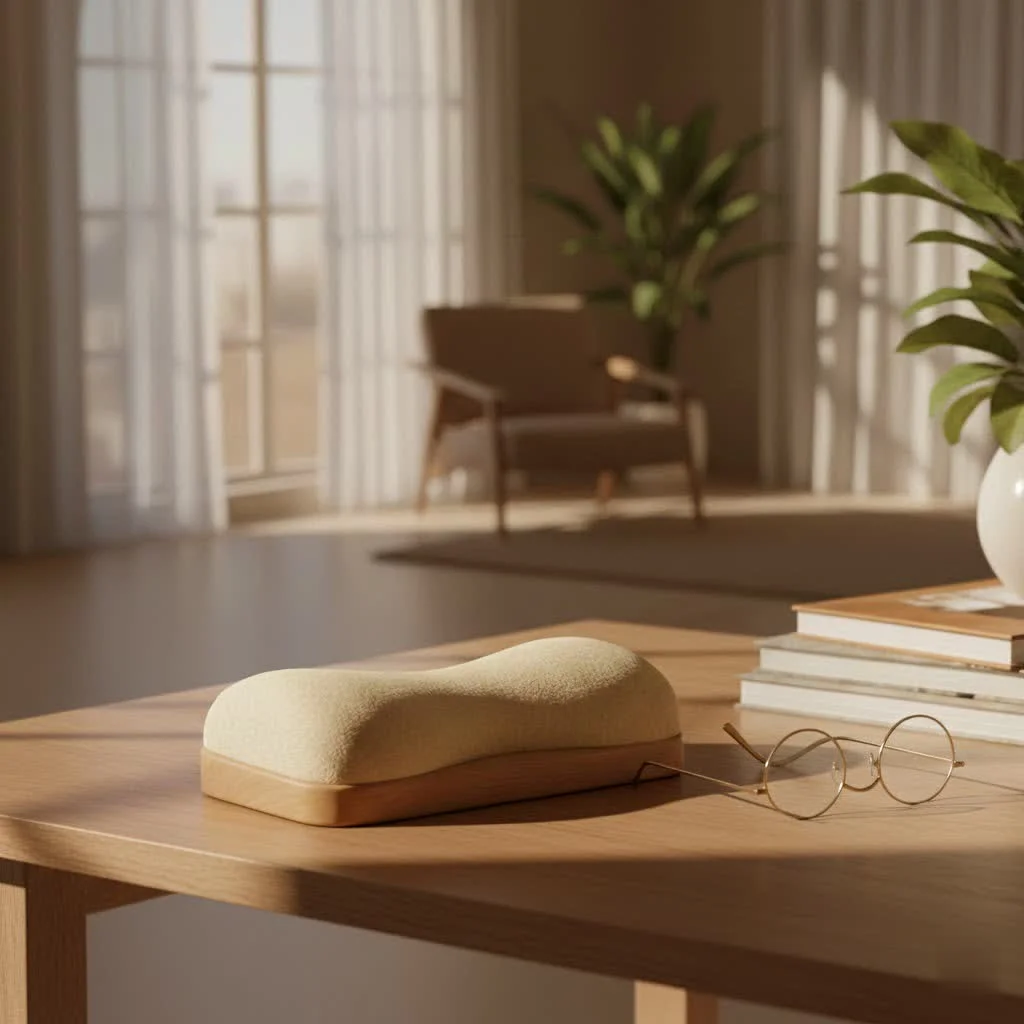
What Makes the Logitech MX Palm Rest Stand Out? (Features & Design)
When it comes to a Logitech wrist rest, the MX Palm Rest isn’t just another cushion for your desk. It’s a meticulously crafted accessory designed to complement your high-performance Logitech setup. Let’s break down what truly sets it apart.
Premium Materials and Construction
Right out of the box, the Logitech MX Palm Rest feels… well, premium. It’s a bit like comparing a budget hotel to a five-star resort – both offer a place to rest, but one does it with an undeniable sense of quality.
- Memory Foam Comfort: The core of its comfort lies in its soft yet incredibly supportive memory foam. This isn’t the squishy, formless foam you might find in cheaper alternatives. Instead, it offers a firm, resilient base that cradles your palms without letting them sink in too much. This firm yet comfortable wrist support keeps your hands in a nice, relaxed position so you can type comfortably for hours.
- Smooth, Durable Surface: The exterior boasts a smooth, faux-leather-like finish that is pleasant to the touch. It feels robust and durable, a far cry from the tacky plastics or flimsy fabrics often found elsewhere. This isn’t just about aesthetics; it’s about longevity.
- Stain-Resistant and Easy to Clean: Let’s face it, our desks can get messy. Spills, dust, and general daily grime are unavoidable. The Logitech MX Palm Rest is designed with a stain-resistant surface, making it remarkably easy to wipe clean, keeping your workspace looking fresh and professional.
- Non-Slip Base: There’s nothing more annoying than a wrist rest that constantly shifts around. Logitech has tackled this with a non-slip backing that ensures the MX Palm Rest stays securely in place on your desk, no matter how intense your typing or gaming session gets. It stays put no matter how—or where—you type.
Ergonomic Design for Optimal Support
Ergonomics isn’t just a buzzword; it’s a science dedicated to designing tools and environments that fit the human body. The Logitech MX Palm Rest embodies this philosophy, albeit with a crucial distinction often missed.
- Low Profile, Ideal for Thin Keyboards: This palm rest is specifically engineered to pair perfectly with thin, low-profile keyboards like the Logitech MX Keys or Logitech Craft. Its slim height ensures that your hands remain in a natural, neutral posture, preventing your wrists from bending upwards at an awkward angle.
- Palm Rest vs. Wrist Rest: The Critical Difference: While commonly called a “Logitech wrist rest,” it’s vital to understand its true purpose as a palm rest. The goal is to support the heel of your hand, not your actual wrist joint. Resting your wrists directly on any surface can put undue pressure on the carpal tunnel, potentially leading to discomfort or injury. By supporting your palms, the MX Palm Rest helps maintain a straight line from your forearm to your fingers, which is the ergonomic sweet spot. As Dr. Elena Petrova, an Ergonomics Specialist at ErgoTech Solutions, often advises, “A true ergonomic support lifts the heel of your hand, not your delicate wrist joint, to maintain natural alignment and prevent strain.” This distinction is key to unlocking its full benefits.
Thoughtful Compatibility and Aesthetics
|
Our Picks for the Best Wrist Rest in 2026
As an Amazon Associate I earn from qualifying purchases.
|
||
| Num | Product | Action |
|---|---|---|
| 1 | MROCO Ergonomic Mouse Pad with Gel Wrist Rest, Comfortable Mousepad with Smooth Wrist Support Surface and Non-Slip PU Base for Pain Relief, Computer, Laptop, Office & Home, 9.4 x 8.1 in, Blue Marble |

|
| 2 | LỖI |
|
| 3 | Vaydeer Wrist Rest for Keyboard and Mouse, Computer Ergonomic Wrist Support Pad, Soft Memory Foam Arm Cushion for Desk, Palm Hand Office Laptop Typing |
|
| 4 | MROCO Ergonomic Mouse Pad with Gel Wrist Rest, Smooth Wrist Support Surface, Non-Slip PU Base for Pain Relief, Comfortable Mousepad for Computer, Laptop, Office & Home, 9.4 x 8.1 in, Black Flower |
|
| 5 | GORILLA GRIP Silky Memory Foam Wrist Rest for Computer Keyboard, Mouse, Ergonomic Design for Typing Pain Relief, Desk Pads Support Hand and Arm, Mousepad Rests, Stain Resistant, 2 Piece Pad, Black |
|
| 6 | Keyboard Stand with Wrist Rest - Comfortable Wrist Pad for Easy Typing, Keyboard Tray for Office, Home, School (Fits Most Standard Keyboards) |
|
| 7 | LỖI |
|
| 8 | MROCO Ergonomic Mouse Pad with Gel Wrist Rest, Smooth Wrist Support Surface, Non-Slip PU Base for Pain Relief, Comfortable Mousepad for Computer, Laptop, Office & Home, 9.4 x 8.1 in, Cloud Forest |
|
| 9 | LỖI |
|
| 10 | MEKASS Ergonomic Wrist Rest for Keyboard and Mouse, Soft Memory Foam Keyboard Wrist Rest Set with Non-Slip Silicone Base, Easy Typing, Pain Relief, Comfort for Office, Work, Gaming (Classic Black) |
|
Logitech products are known for their cohesive design and seamless user experience, and the MX Palm Rest is no exception.
- Seamless Integration with Logitech MX Keyboards: This palm rest isn’t just compatible with Logitech’s MX series; it’s designed to be its perfect partner. The dimensions and aesthetic are crafted to flow visually and functionally with keyboards like the MX Keys, creating a unified, professional look for your workspace.
- Sleek, Minimalist Design: With its clean lines and subtle branding, the Logitech MX Palm Rest blends effortlessly into any modern desk setup. It adds a touch of sophistication without being distracting, enhancing your workspace’s overall feel.
The Science of Comfort: Health Benefits of a Logitech Wrist Rest
Using a high-quality Logitech wrist rest, or rather, a palm rest, is more than just about feeling good in the moment. It’s a proactive step towards long-term health, especially for those who spend significant time typing.
Preventing Wrist Strain and Fatigue
When your wrists are constantly bent or unsupported, the muscles and tendons work harder than they should, leading to strain and fatigue. The firm yet gentle support of the MX Palm Rest helps keep your hands in a relaxed, neutral position, drastically reducing this unnecessary strain. Imagine carrying a heavy bag with straight arms versus bent ones; the difference in effort is similar.
Reducing Risk of Repetitive Strain Injuries (RSI) like Carpal Tunnel Syndrome (CTS)
One of the most concerning health risks for computer users is the development of Repetitive Strain Injuries (RSIs), with Carpal Tunnel Syndrome (CTS) being a prime example. CTS occurs when the median nerve, running through the carpal tunnel in your wrist, becomes compressed. Improper wrist posture is a major contributing factor. By promoting a neutral wrist posture and supporting your palms, the Logitech MX Palm Rest helps alleviate pressure on this nerve, significantly reducing your risk of developing such painful conditions.
Promoting Proper Posture
Believe it or not, your wrist position can impact your entire posture. When your wrists are uncomfortable, you might subconsciously adjust your body, slouching or hunching over, which can lead to neck, shoulder, and back pain. By providing proper palm support, the MX Palm Rest encourages a more upright and natural sitting posture, creating a domino effect of ergonomic benefits throughout your body.
Is the Logitech MX Palm Rest Right for You? Choosing Your Ideal Companion
Deciding if the Logitech MX Palm Rest is the right fit involves a few considerations. Just like choosing the perfect pair of shoes, it needs to match your unique needs and environment.
- Consider Your Keyboard: This palm rest shines brightest when paired with thin, low-profile keyboards, especially Logitech’s own MX Keys or Craft series. If you use a very tall mechanical keyboard, you might find it doesn’t provide the ideal height, or you might prefer a thicker rest.
- Typing Style: If you’re a “floater” who hovers their hands above the keyboard, you might not feel an immediate need. However, if you tend to rest your hands heavily on your desk or experience wrist discomfort, a palm rest can be a major upgrade. to use it to support your palms, not your wrists directly.
- Budget vs. Value: The Logitech MX Palm Rest typically comes at a premium price point compared to generic options. However, consider the investment in quality materials, ergonomic design, and long-term comfort. For many, the durability and enhanced experience justify the cost, especially if you spend hours typing daily. It’s often seen as a better value when purchased as part of a bundle with an MX keyboard.
- Durability and Maintenance: Thanks to its high-quality materials and stain-resistant design, this palm rest is built to last and is surprisingly easy to maintain, adding to its overall value proposition.
Maximizing Your Comfort: Tips for Using and Caring for Your Logitech MX Palm Rest
Getting the most out of your Logitech MX Palm Rest involves more than just placing it on your desk. Proper usage and care will ensure it serves you well for years to come.
Placement and Positioning
- Align with Your Keyboard: Position the palm rest directly in front of your keyboard, centered with the keys you use most often.
- Support Your Palms: Ensure the heel of your hands (the fleshy part below your thumb) rests on the palm rest, allowing your fingers to float freely over the keys. Your wrists should remain straight, not bent up or down.
- Adjust as Needed: Don’t be afraid to subtly adjust its position throughout the day. Your body moves, and your accessories should accommodate that.
Cleaning and Maintenance
As a stain-resistant surface, keeping your Logitech MX Palm Rest pristine is straightforward.
- Wipe Regularly: Use a soft, damp cloth with a mild soap solution (if necessary) to wipe down the surface periodically.
- Avoid Harsh Chemicals: Steer clear of abrasive cleaners or strong solvents, as these can damage the material.
- Air Dry: Allow it to air dry completely before resuming use.
Pairing with Other Ergonomic Accessories
While the Logitech MX Palm Rest is excellent on its own, it’s part of a larger ergonomic ecosystem. Consider pairing it with:
- An Ergonomic Keyboard: Like the Logitech MX Keys or an ergonomic split keyboard.
- An Ergonomic Mouse: Such as the Logitech MX Master 3S or a vertical mouse to ensure wrist comfort on your mouse hand too.
- An Adjustable Chair and Monitor Arm: These complete your ergonomic setup, allowing you to maintain optimal posture from head to toe.
Beyond Comfort: Logitech’s Commitment to Sustainability
In today’s world, a product’s environmental footprint is just as important as its performance. Logitech demonstrates a commendable commitment to sustainability with the MX Palm Rest. The packaging for the Logitech MX Palm Rest uses FSC-certified paper, ensuring responsible sourcing of forest products. The product itself is certified carbon neutral, meaning the carbon impact from its creation and packaging has been reduced to zero. This commitment allows you to enjoy your ergonomic comfort with peace of mind, knowing you’re supporting a brand that cares about our planet.
Frequently Asked Questions About the Logitech MX Palm Rest
Got more questions? We’ve got answers!
Q: What is the main material of the Logitech MX Palm Rest?A: The Logitech MX Palm Rest is primarily made from soft yet supportive memory foam, covered with a smooth, durable, and stain-resistant faux-leather-like surface for lasting comfort and easy maintenance.
Q: Is the Logitech MX Palm Rest compatible with all keyboards?A: While it can be used with various keyboards, it is specifically designed to be a perfect fit for thin, low-profile keyboards like the Logitech MX Keys or Logitech Craft, ensuring optimal ergonomic alignment.
Q: How do I clean my Logitech MX Palm Rest?A: Thanks to its stain-resistant design, you can easily clean your Logitech MX Palm Rest by wiping it with a soft, damp cloth. A mild soap solution can be used for tougher spots, then air dry.
Q: Is it really a “palm rest” or a “wrist rest”?A: Although commonly referred to as a “wrist rest,” ergonomically speaking, it functions as a palm rest. Its design supports the heel of your hand to keep your wrists straight and alleviate pressure on the carpal tunnel, which is crucial for preventing strain.
Q: Is the Logitech MX Palm Rest worth the investment?A: For individuals who spend long hours typing, particularly with Logitech MX series keyboards, the Logitech MX Palm Rest is generally considered a worthwhile investment due to its premium comfort, ergonomic benefits, durability, and seamless integration.
Conclusion
The Logitech MX Palm Rest is more than just a desk accessory; it’s a shows how thoughtful design can significantly impact our daily comfort and long-term health. By providing firm yet gentle palm support, it helps maintain proper wrist alignment, reduce fatigue, and protect against common typing-related injuries. Whether you’re a coder, a writer, a gamer, or simply someone who spends extensive time at their computer, embracing ergonomic solutions like this Logitech wrist rest can improve your workspace into a haven of productivity and well-being. Prioritize your comfort, invest in your health, and experience the difference a quality Logitech MX Palm Rest can make. Try it out and feel the ergonomic magic for yourself!
Maximizing Comfort with Your Logitech MX Palm Rest
Proper usage and care for your Logitech MX Palm Rest will ensure it provides optimal ergonomic benefits and lasts for years.
Position the palm rest directly in front of your keyboard. Ensure it is centered with the keys you use most frequently for balanced support.
Rest the heel of your hands (the fleshy part below your thumb) on the palm rest. Your fingers should float freely over the keys, and your wrists must remain straight, avoiding any upward or downward bending.
Do not hesitate to subtly adjust the palm rest's position throughout your workday. Your body naturally shifts, and accommodating these movements will maintain continuous ergonomic support.
Maintain the palm rest's pristine condition by wiping its stain-resistant surface periodically with a soft, damp cloth. For stubborn spots, a mild soap solution can be used, followed by air drying.
To preserve the material's integrity and longevity, steer clear of abrasive cleaners or strong solvents. These chemicals can cause damage to the faux-leather-like surface.
Get our weekly buyer guide
Practical specs, not advice. Unsubscribe anytime.
This palm rest is pretty good! The memory foam is comfortable, and the faux-leather surface feels nice. I appreciate that it’s designed to support the palms and not the wrists directly, which I’ve learned is better for preventing strain. My only minor gripe is that it sometimes slides a tiny bit on my very smooth desk, even with the non-slip base.
Seriously impressed with the quality of the Logitech MX Palm Rest. It really does feel premium, just like the description said. I was hesitant about the price at first, but it’s totally worth it for the comfort and ergonomic alignment it provides. No more wrist pain after a full day of work!
I’ve been using the Logitech MX Palm Rest for a few weeks now, and it’s made a huge difference. My wrists used to ache after long coding sessions, but the firm yet gentle support for my palms really helps. It pairs perfectly with my MX Keys keyboard too, which is a bonus for my setup.
The Logitech MX Palm Rest is decent, but I was expecting a bit more. The support is good, and it definitely helps with my typing posture. However, I found the faux-leather surface gets a little warm after extended use, which can be a bit uncomfortable in a warmer room. It’s not a dealbreaker, but something to note.