Spending hours at your computer, whether you’re coding, gaming, or simply browsing, can take a real toll on your wrists. That nagging ache, that uncomfortable pressure – it’s a common story. But what if there was a solution that didn’t just alleviate the symptoms but actively promoted better wrist health? Enter the Carpio Wrist Rest, a revolutionary ergonomic accessory designed to transform your computing experience. More than just a simple pad, the Carpio wrist rest is engineered to move with you, providing dynamic support that traditional wrist rests often miss. Let’s dive deep into what makes the Carpio wrist rest a game-changer for anyone serious about their long-term comfort and productivity.
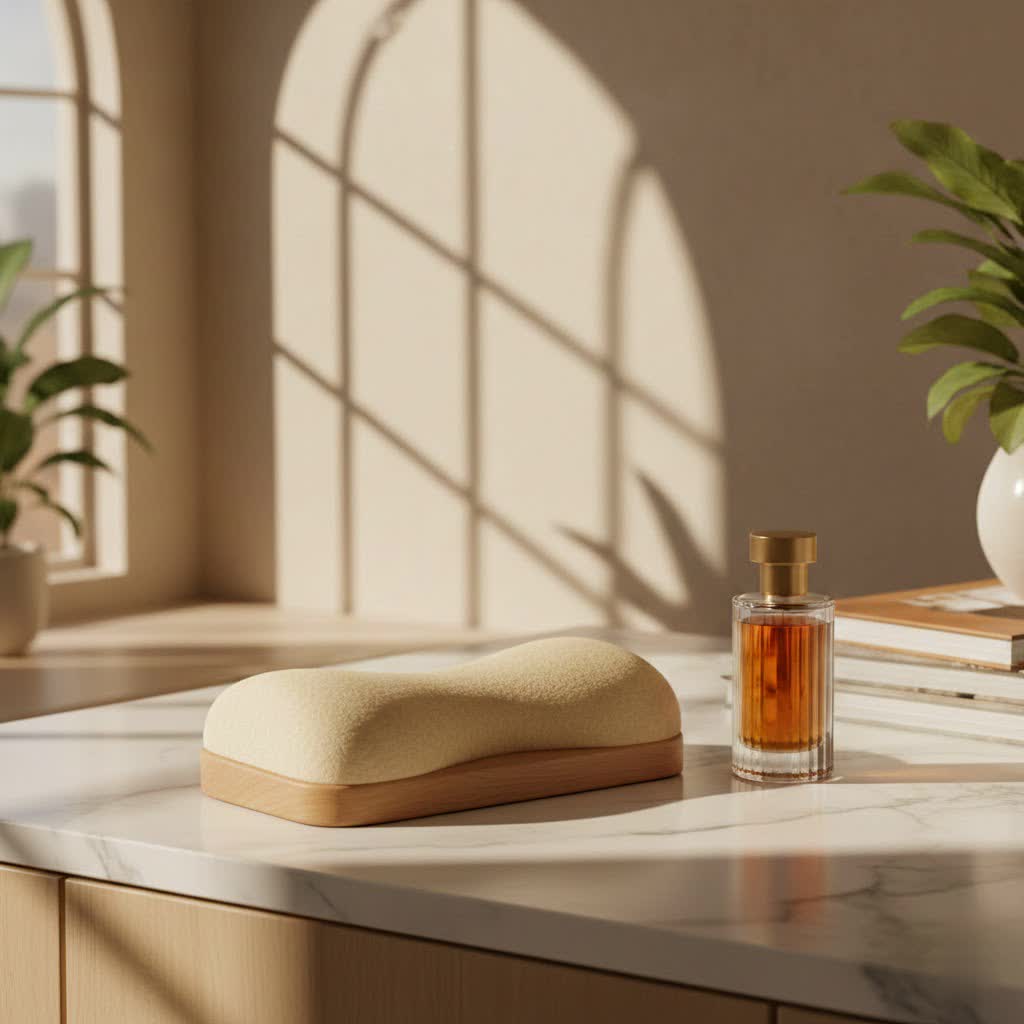
What is the Carpio Wrist Rest? Redefining Ergonomics
The Carpio wrist rest isn’t your average wrist support. It’s actually a “palm rest” by design, meticulously developed by DeltaHub in collaboration with physicians and physiotherapists to offer true ergonomic benefits. This isn’t just clever marketing; it’s a thoughtful approach to preventing common computer-related injuries.
Instead of fixing your wrist in a static position or applying pressure directly to the delicate carpal tunnel area – which, paradoxically, can sometimes worsen problems – the Carpio wrist rest elevates your hand slightly, transferring pressure from your wrist to the more robust thenar and hypothenar parts of your lower palm. But here’s the real magic: it glides effortlessly with your hand. This encourages you to move your entire arm and shoulder, rather than twisting your wrist, significantly reducing harmful wrist deviation and extension.
What is the Carpio wrist rest made of? The Carpio wrist rest utilizes premium materials for comfort and durability. Each unit features a sturdy plastic base, soft yet supportive silicone pads for your palm, and slick Teflon gliders on the underside. These gliders ensure that the Carpio moves smoothly across your desk or mousepad, mimicking the glide of your high-performance mouse.
Why Choose Carpio? Unpacking the Ergonomic Advantages
The benefits of incorporating a Carpio wrist rest into your setup extend far beyond simple comfort. It’s about proactive health and sustained performance.
Preventing Carpal Tunnel Syndrome and Wrist Strain
|
Our Picks for the Best Wrist Rest in 2026
As an Amazon Associate I earn from qualifying purchases.
|
||
| Num | Product | Action |
|---|---|---|
| 1 | MROCO Ergonomic Mouse Pad with Gel Wrist Rest, Smooth Wrist Support Surface, Non-Slip PU Base for Pain Relief, Comfortable Mousepad for Computer, Laptop, Office & Home, 9.4 x 8.1 in, Cloud Forest |

|
| 2 | LỖI |
|
| 3 | Vaydeer Wrist Rest for Keyboard and Mouse, Computer Ergonomic Wrist Support Pad, Soft Memory Foam Arm Cushion for Desk, Palm Hand Office Laptop Typing |
|
| 4 | LỖI |
|
| 5 | GORILLA GRIP Silky Memory Foam Wrist Rest for Computer Keyboard, Mouse, Ergonomic Design for Typing Pain Relief, Desk Pads Support Hand and Arm, Mousepad Rests, Stain Resistant, 2 Piece Pad, Black |
|
| 6 | MROCO Ergonomic Mouse Pad with Gel Wrist Rest, Smooth Wrist Support Surface, Non-Slip PU Base for Pain Relief, Comfortable Mousepad for Computer, Laptop, Office & Home, 9.4 x 8.1 in, Black Flower |
|
| 7 | LỖI |
|
| 8 | MEKASS Ergonomic Wrist Rest for Keyboard and Mouse, Soft Memory Foam Keyboard Wrist Rest Set with Non-Slip Silicone Base, Easy Typing, Pain Relief, Comfort for Office, Work, Gaming (Classic Black) |
|
| 9 | MROCO Ergonomic Mouse Pad with Gel Wrist Rest, Comfortable Mousepad with Smooth Wrist Support Surface and Non-Slip PU Base for Pain Relief, Computer, Laptop, Office & Home, 9.4 x 8.1 in, Blue Marble |
|
| 10 | Keyboard Stand with Wrist Rest - Comfortable Wrist Pad for Easy Typing, Keyboard Tray for Office, Home, School (Fits Most Standard Keyboards) |
|
Many traditional wrist rests can inadvertently apply pressure to the carpal tunnel, potentially hindering blood flow and increasing the risk of conditions like Carpal Tunnel Syndrome (CTS). The Carpio wrist rest’s unique design strategically avoids this by supporting your palm, not your wrist itself. By maintaining a neutral wrist position and reducing harmful extension, it helps alleviate existing pain and prevent future issues like strain and numbness, which are common precursors to CTS.
Promoting Natural Movement: Arm and Shoulder, Not Just the Wrist
One of the standout features of the Carpio wrist rest is its ability to move with your hand. Static wrist rests often force you to pivot at the wrist, leading to repetitive strain. The Carpio, with its low-friction Teflon gliders, encourages fluid arm and shoulder movements, which are naturally less taxing on your smaller wrist joints and tendons. This subtle shift in movement mechanics can make a world of difference during long work or gaming sessions.
Smooth Gliding Experience: Teflon Feet
Ever notice how your gaming mouse glides effortlessly? The Carpio wrist rest is designed to match that experience. Its Teflon feet ensure it moves seamlessly across almost any surface your mouse would, from high-end gaming mats to polished desk surfaces. This means no jarring stops or resistance, allowing for uninterrupted workflow and precise control, particularly beneficial for tasks requiring fine motor skills or rapid mouse movements.
Portability and Design Aesthetic
The Carpio wrist rest boasts a minimalist, sleek design that complements any modern desk setup. It’s compact and portable, easily slipping into a bag if you frequently work from different locations or attend LAN parties. Available in various colors, it combines functionality with a sophisticated aesthetic that enhances your workspace without being obtrusive.
As Dr. Alistair Finch, a renowned ergonomic specialist, often says, “The best ergonomic tools are those you barely notice because they blend seamlessly into your natural movement patterns. The Carpio wrist rest achieves this by shifting focus from passive support to active, dynamic alignment.”
Carpio 2.0 vs. Carpio G2.0: Finding Your Perfect Match
DeltaHub offers two primary models of the Carpio wrist rest, each tailored to specific user needs. Understanding their differences will help you pick the best Carpio wrist rest for you.
Carpio 2.0: The Everyday Ergonomic Champion
The Carpio 2.0 is the foundational model, an award-winning ergonomic mouse palm rest designed for widespread use. It’s the ideal choice for office workers, students, and general computer users who spend significant time at their desks. It offers all the core benefits: pressure redistribution, natural gliding, and superior comfort for daily productivity. The Carpio 2.0 is available in both left and right-handed versions and comes in small and large sizes to ensure a proper fit.
Carpio G2.0: Engineered for Intense Performance (Gamers & Power Users)
For those who engage in more intense, fast-paced computing – think competitive gamers, graphic designers, or anyone requiring extremely precise and rapid mouse movements – the Carpio G2.0 is the specialized option. The key differences lie in its enhanced features:
- Perforated Pads: The G2.0 features perforated silicone pads that promote airflow, significantly reducing sweat buildup during prolonged intense use. This keeps your hand comfortable and prevents slipping.
- Adjustable Strap: The Carpio G2.0 includes a completely removable and adjustable silicone strap with a powerful magnetic attachment. This strap ensures the Carpio wrist rest stays securely attached to your hand, providing consistent support and control even during aggressive mouse flicking or rapid repositioning, which is crucial for gaming.
While the Carpio 2.0 is an excellent all-rounder, the G2.0 offers that extra layer of stability and comfort for high-performance scenarios. Currently, the G2.0 is primarily available for right-handed users, though DeltaHub is open to developing a left-handed version based on demand.
Getting Started with Your Carpio: Sizing, Usage, and Care
To maximize the benefits of your Carpio wrist rest, proper selection and use are essential.
Choosing the Right Size for Your Carpio Wrist Rest
The Carpio wrist rest comes in two sizes: Small and Large. Generally, Small is recommended for individuals with a hand width below 3.5 inches, while Large is suitable for those with wider hands. To find your perfect fit, simply measure the width of your hand. If you find yourself between sizes or have specific usage needs (e.g., more precise movements), a smaller size might offer better control, while a larger size could provide broader support.
Proper Placement and Initial Adjustment
The Carpio wrist rest is designed to sit directly under the lower part of your palm, where it transitions into your wrist. It should cradle the thenar and hypothenar eminences (the fleshy parts below your thumb and pinky) without applying direct pressure to the central carpal tunnel. When you move your mouse, the Carpio should glide with your hand. It might feel a bit unusual at first, as it’s a departure from traditional wrist rests, but most users adapt quickly, often finding it feels like a natural extension of their hand within a few days to weeks.
Maintenance Tips for Your Carpio Wrist Rest
Keeping your Carpio wrist rest clean is straightforward. Due to frequent contact, it’s recommended to clean it with a damp cloth at least once a month. Avoid using abrasive, non-polar cleansers or alcohol-based agents, as these could damage the materials. With proper care, your Carpio wrist rest will provide lasting ergonomic support.
Addressing Common Questions about Carpio Wrist Rests
Let’s tackle some frequently asked questions about the Carpio wrist rest:
Is the Carpio wrist rest really worth the price?
At around $40, the Carpio wrist rest is often seen as a premium accessory. However, many users find the investment worthwhile, citing significant reductions in wrist pain and improved comfort and productivity that justify the cost. It’s an investment in your long-term health and ergonomic setup.
Can the Carpio wrist rest be used for both mouse and keyboard?
While primarily designed as a mouse palm rest, many users purchase two Carpio units – one for each hand – to support both mouse and keyboard usage, especially when keyboard wrist rests are insufficient or unavailable.
Does the Carpio wrist rest work on all surfaces?
Yes, thanks to its Teflon gliders, the Carpio wrist rest is designed to work effectively on any surface where your computer mouse glides normally. This includes most desk mats, wooden desks, and glass surfaces.
How long does it take to get used to the Carpio wrist rest?
There’s typically an adjustment period, as the Carpio wrist rest encourages a different posture and movement style than traditional wrist rests. Most users report feeling completely comfortable and natural with it within a few days to a couple of weeks.
Is the Carpio wrist rest suitable for left-handed users?
The Carpio 2.0 is available in both left-handed and right-handed versions. The gaming-focused Carpio G2.0 is currently only available for right-handed users, but DeltaHub is considering a left-handed version based on customer interest.
Elevate Your Workspace with the Carpio Wrist Rest
The Carpio wrist rest stands out in a crowded market of ergonomic accessories by offering a uniquely engineered solution to wrist pain and strain. Its physician-backed design, dynamic gliding motion, and ability to transfer pressure away from the sensitive carpal tunnel area make it an indispensable tool for anyone who spends significant time at a computer. Whether you opt for the versatile Carpio 2.0 for daily tasks or the high-performance Carpio G2.0 for intense gaming, you’re investing in a healthier, more comfortable, and ultimately more productive computing experience. Don’t let wrist discomfort hold you back; explore the benefits of the Carpio wrist rest and give your hands the support they deserve.
