A 75% keyboard wrist rest is essential for maintaining optimal wrist health and comfort, especially for users who spend extended periods typing, coding, or gaming. These specialized rests align your wrists with the keyboard’s height, promoting a neutral posture and significantly reducing the risk of discomfort, fatigue, and conditions like Carpal Tunnel Syndrome. Ignoring proper wrist support can lead to strain and debilitating injuries, making a dedicated wrist rest a critical component for long-term well-being with this compact keyboard layout.
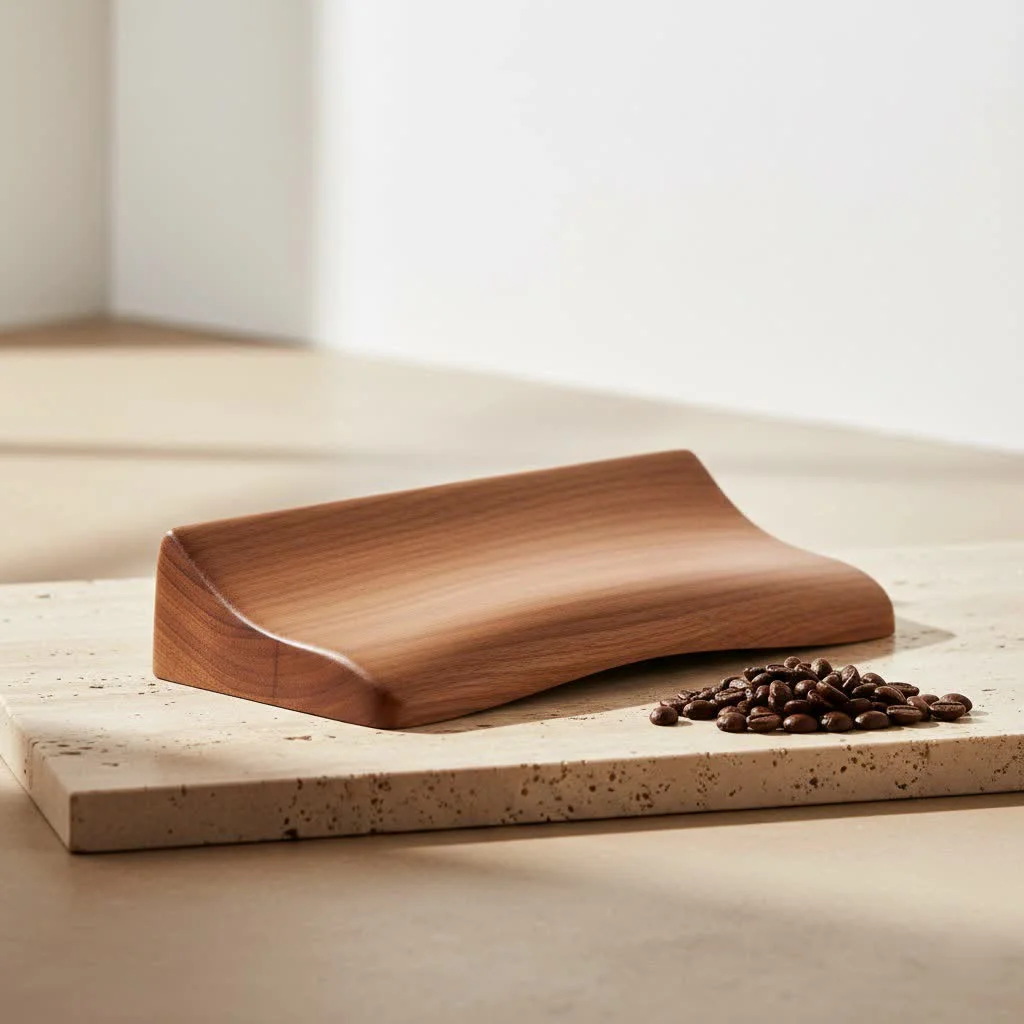 keyboard wrist rest for comfort” style=”margin: 20px auto;width: 800px;max-width: 100%;height: auto” />
Why Your 75% Keyboard Demands a Dedicated Wrist Rest
The appeal of the 75% keyboard lies in its efficiency, but this compact footprint also means your hands are positioned differently compared to larger layouts. Understanding these nuances is the first step toward appreciating why a specialized wrist rest is indispensable. For complete ergonomic computer library on this site.
Decoding the 75% Layout: Compact, Yet Powerful
A 75% keyboard typically omits the number pad and consolidates keys to achieve a smaller form factor. This design brings your mouse closer, reducing shoulder strain, but it also alters the natural resting position of your wrists. Unlike a full-sized board where your hands might splay out wider, on a 75% layout, your hands are generally closer together, and the edges of the keyboard are different. This means a generic or ill-fitting wrist rest simply won’t provide the targeted support your wrists need to maintain a neutral, healthy posture.
The Unseen Strain: How a Wrist Rest Makes a Difference
Without proper support, your wrists can be forced into an extended or flexed position, putting undue pressure on the median nerve and tendons. Over time, this can lead to a host of problems, including:
- Wrist pain: A common complaint for heavy computer users.
- Fatigue: Muscles in your forearms and hands can tire quickly.
- Repetitive Strain Injury (RSI): A broad term for conditions caused by repeated movements.
- Carpal Tunnel Syndrome: A specific condition where the median nerve in the wrist is compressed, causing numbness, tingling, and pain.
A well-designed 75% keyboard wrist rest elevates your wrists to align them with the keyboard’s height, promoting a neutral, straight line from your forearm through your hand. This simple adjustment significantly reduces strain and is your first line of defense against these common ailments.
Finding Your Perfect Match: Materials for 75% Wrist Rests
Just like keyboards themselves, wrist rests come in a variety of materials, each offering a distinct feel, aesthetic, and level of support. The best choice for your 75% keyboard wrist rest depends on your personal preference, typing style, and desk environment.
Plush Comfort: Cloth and Memory Foam
|
Our Picks for the Best Wrist Rest in 2026
As an Amazon Associate I earn from qualifying purchases.
|
||
| Num | Product | Action |
|---|---|---|
| 1 | MROCO Ergonomic Mouse Pad with Gel Wrist Rest, Smooth Wrist Support Surface, Non-Slip PU Base for Pain Relief, Comfortable Mousepad for Computer, Laptop, Office & Home, 9.4 x 8.1 in, Black Flower |

|
| 2 | LỖI |
|
| 3 | GORILLA GRIP Silky Memory Foam Wrist Rest for Computer Keyboard, Mouse, Ergonomic Design for Typing Pain Relief, Desk Pads Support Hand and Arm, Mousepad Rests, Stain Resistant, 2 Piece Pad, Black |
|
| 4 | Keyboard Stand with Wrist Rest - Comfortable Wrist Pad for Easy Typing, Keyboard Tray for Office, Home, School (Fits Most Standard Keyboards) |
|
| 5 | MROCO Ergonomic Mouse Pad with Gel Wrist Rest, Smooth Wrist Support Surface, Non-Slip PU Base for Pain Relief, Comfortable Mousepad for Computer, Laptop, Office & Home, 9.4 x 8.1 in, Cloud Forest |
|
| 6 | LỖI |
|
| 7 | MEKASS Ergonomic Wrist Rest for Keyboard and Mouse, Soft Memory Foam Keyboard Wrist Rest Set with Non-Slip Silicone Base, Easy Typing, Pain Relief, Comfort for Office, Work, Gaming (Classic Black) |
|
| 8 | Vaydeer Wrist Rest for Keyboard and Mouse, Computer Ergonomic Wrist Support Pad, Soft Memory Foam Arm Cushion for Desk, Palm Hand Office Laptop Typing |
|
| 9 | MROCO Ergonomic Mouse Pad with Gel Wrist Rest, Comfortable Mousepad with Smooth Wrist Support Surface and Non-Slip PU Base for Pain Relief, Computer, Laptop, Office & Home, 9.4 x 8.1 in, Blue Marble |
|
| 10 | LỖI |
|
- Cloth/Padded Cloth: These wrist rests are known for their soft, comfortable feel and excellent breathability, making them ideal for long sessions where sweat might be a concern. The padded interior (often foam) offers a gentle, yielding support that contours to your wrists.
- Memory Foam: Famous for its ability to conform to your body shape, memory foam wrist rests provide personalized cushioning. They distribute pressure evenly, effectively cradling your wrists for sustained comfort. Many memory foam options feature a moisture-wicking fabric cover, like a Lycra blend, to keep things cool and dry. This makes them a fantastic choice if you prioritize softness and adaptive support.
Timeless Elegance: Wood and Resin
- Wood: For those who appreciate a premium aesthetic and firm, stable support, a wooden 75% keyboard wrist rest is an excellent choice. Materials like walnut or even exotic hardwoods offer unique grain patterns, adding a touch of natural elegance to your setup. Wood is also incredibly durable and easy to clean with a simple wipe. While not as soft as foam, the solid surface provides consistent elevation and a classic look.
- Resin/Acrylic: Often combined with wood or used on their own, resin wrist rests can be truly unique. They allow for intricate designs, vibrant colors, and smooth, often translucent finishes. These are perfect for adding a custom, artistic flair to your workspace while still providing robust support.
Modern Resilience: Silicone and PU Leather
- Silicone: A popular choice for its skin-friendly, smooth texture, silicone wrist rests offer a firm yet comfortable support. They are incredibly durable, easy to clean, and often feature a textured, non-slip base that ensures they stay firmly in place, even during intense typing or gaming sessions. Their sleek, modern profile blends well with most desk setups.
- PU Leather: Often built on a sturdy base like ABS plastic, PU leather wrist rests combine durability with a comfortable, soft-touch surface. They offer a luxurious feel and are generally easy to wipe clean, making them a practical choice for everyday use.
Sizing it Up: Ensuring the Right Fit for Your 75% Keyboard Wrist Rest
One of the most critical aspects of choosing a 75% keyboard wrist rest is ensuring it’s the correct size. An ill-fitting rest can be just as detrimental as no rest at all.
Standard 75% Dimensions to Look For
While 75% keyboards vary slightly between manufacturers, there are general dimensions to for your wrist rest. Many 75% layouts are around 320-330mm (approximately 12.6 to 13 inches) in length. A common recommended wrist rest length for these keyboards is 325-335mm (around 12.8 to 13.2 inches) to provide slight overhang or a perfect edge-to-edge fit. Widths typically range from 70-100mm (around 2.7 to 4 inches).
Here are some common size references:
- Length: Approximately 12.8 – 13 inches (325 – 331 mm).
- Width (Depth): Approximately 3.5 – 4 inches (89 – 102 mm).
- Thickness/Height: Around 25mm (1 inch) is common, but can vary (e.g., 12-14mm for low-profile keyboards).
Custom Measurements: A Step-by-Step Guide
For a truly perfect fit, especially with custom or less common 75% keyboard models, taking your own measurements is key:
- Measure Keyboard Width: Measure your keyboard from the leftmost edge to the rightmost edge, including the case.
- Determine Wrist Rest Width: Aim for a wrist rest width that matches your keyboard’s width, possibly adding an extra 2-3mm on each side for a snug fit or aesthetic preference.
- Measure Front Height: Place your keyboard on your desk and measure the height of the front edge of the keyboard where your wrists would typically rest.
- Calculate Ideal Wrist Rest Height: Your wrist rest’s height should be slightly lower than your keyboard’s front edge, typically 5-7mm less, to create a gentle downward slope towards your keys. This ensures your wrists are supported without being forced upward.
Beyond the Basics: Key Ergonomic Features
While material and size are crucial, several ergonomic features distinguish a good 75% keyboard wrist rest from a truly great one.
Height, Angle, and Wrist Alignment
The primary goal of a wrist rest is to maintain a neutral wrist posture. This means your wrists should be straight, not bent up (extension) or down (flexion). The ideal wrist rest height aligns your wrists with the bottom row of your keyboard. Some wrist rests also incorporate a subtle angle to further promote a natural hand position. A well-designed ergonomic wrist rest keeps your wrists neutral and relaxed, reducing strain during extended use.
Stability and Durability: Non-Slip Bases and Quality Construction
A wrist rest that constantly slides around is more of a hindrance than a help. Look for a 75% keyboard wrist rest with a robust, non-slip base, often made of rubber, to ensure it stays securely in place on your desk. Beyond stability, the overall construction quality contributes to the wrist rest’s durability. High-quality materials and manufacturing ensure your investment stands the test of time, providing consistent support for years to come.
The Long-Term Gains: Health Benefits of a 75% Wrist Rest
The immediate comfort a wrist rest provides is undeniable, but the long-term health benefits are where a 75% keyboard wrist rest truly shines as an essential tool.
Battling RSI and Carpal Tunnel Syndrome
Repetitive Strain Injury (RSI) and Carpal Tunnel Syndrome are serious conditions that can impact your ability to work and enjoy hobbies. By keeping your wrists in a neutral position, a wrist rest helps prevent the compression of nerves and tendons that can lead to these issues. It’s a proactive measure against chronic pain and potential nerve damage.
Alleviating Pain and Fatigue
Even without a formal diagnosis, many computer users experience general wrist discomfort and fatigue after prolonged typing. A wrist rest significantly reduces the stress on your wrists and forearms, allowing you to work or game for longer periods without discomfort. It acts as a comfortable cushion, absorbing some of the impact and pressure that would otherwise strain your joints and muscles.
Cultivating Better Typing Posture
Beyond just your wrists, a proper wrist rest encourages better overall typing posture. When your wrists are correctly supported, it naturally promotes a more upright sitting position, reducing slouching and alleviating tension in your shoulders and neck. As Dr. Evelyn Reed, a leading expert in ergonomic design and human-computer interaction, advises, “For a 75% keyboard, a precisely sized and ergonomically crafted wrist rest is not just a luxury, but a fundamental tool for preserving wrist health and enhancing typing efficiency. It’s about proactive care for your most valuable instruments.”
Care and Keeping: Maximizing Your Wrist Rest’s Lifespan
To ensure your 75% keyboard wrist rest continues to provide optimal support and looks great on your desk, a little care goes a long way.
Proper Positioning for Immediate Relief
The key to effective wrist rest use is proper placement. Your wrist rest should support the base of your palm, not your actual wrist. This allows your fingers to comfortably reach the keys without bending your wrist upwards. Adjust it so your hands can float over the keyboard, with your palms gently resting when you’re not actively typing.
Simple Cleaning Tips for Every Material
- Cloth/Memory Foam: Most cloth covers can be spot-cleaned with a damp cloth and mild soap. For memory foam, check manufacturer instructions; some covers are removable and washable. Allow to air dry completely.
- Wood: A quick wipe down with a damp cloth is usually sufficient. For stubborn spots, a mild wood cleaner can be used. Avoid excessive moisture.
- Silicone/PU Leather: These materials are incredibly easy to clean. A damp cloth with a little soap or a mild disinfectant spray will quickly restore their pristine look.
Frequently Asked Questions about 75% Keyboard Wrist Rests
What exactly is a 75% keyboard?
A 75% keyboard is a compact mechanical keyboard layout that typically features a consolidated navigation cluster and a function row, but omits the number pad. It’s smaller than a Tenkeyless (TKL) keyboard but larger than a 60% or 65% board, offering a balance of space-saving design and functionality.
Is a wrist rest truly necessary for a 75% keyboard?
While not strictly “necessary” for everyone, a wrist rest is highly recommended for 75% keyboard users, especially if you spend long hours typing. It helps maintain a neutral wrist posture, preventing discomfort, fatigue, and potential long-term injuries like RSI and Carpal Tunnel Syndrome by aligning your wrists with the keyboard’s height.
How do I measure my keyboard for the right wrist rest size?
Measure your keyboard’s width from edge to edge to determine the ideal length for your wrist rest. For the height, measure the front edge of your keyboard. Your wrist rest should typically be 5-7mm shorter than this front height to provide proper ergonomic support without forcing your wrists into an unnatural upward bend.
Which material is best for a 75% keyboard wrist rest?
The “best” material depends on personal preference.
- Memory foam and cloth offer soft, adaptive comfort and good breathability.
- Wood and resin provide firm, stable support with a premium, often aesthetic, look.
- Silicone and PU leather are durable, easy to clean, and offer a balance of firmness and comfort with a modern feel.
Can a wrist rest actually prevent wrist pain?
Yes, a properly used ergonomic wrist rest can significantly help prevent wrist pain and related conditions. By supporting your wrists in a neutral position, it reduces strain on tendons and nerves, minimizes pressure points, and promotes better typing posture, all of which contribute to long-term wrist health.
Conclusion
Choosing the right 75% keyboard wrist rest is a simple yet profound step towards optimizing your typing experience and safeguarding your health. With the unique, compact layout of a 75% keyboard, a dedicated wrist rest isn’t just an accessory; it’s an essential ergonomic tool that can prevent discomfort, reduce the risk of serious injuries, and improve your overall comfort. Whether you prefer the plush embrace of memory foam, the timeless solidity of wood, or the modern resilience of silicone, understanding your options and prioritizing a proper fit will make all the difference. Invest in your wrist health today, and experience the unparalleled comfort and support a quality 75% keyboard wrist rest can provide. Your wrists will thank you for it, allowing you to enjoy countless hours of productive and pain-free computing. Explore the range of expertly curated wrist rests at MMPok and improve your workspace into a haven of ergonomic excellence.
Frequently Asked Questions
What is a 75% keyboard and why is a wrist rest important for it?
A 75% keyboard is a compact mechanical keyboard layout that includes a function row and navigation keys but omits the number pad. A wrist rest is highly recommended for this layout because its compact design alters hand positioning, making proper wrist alignment crucial to prevent discomfort and injuries like Carpal Tunnel Syndrome during long typing sessions.
How do I choose the correct size wrist rest for my 75% keyboard?
To choose the correct size, measure your keyboard's width from edge to edge; a common length for 75% wrist rests is 12.8 to 13 inches (325-331 mm). For height, measure the front edge of your keyboard, and select a wrist rest that is typically 5-7mm shorter to ensure a gentle downward slope and proper ergonomic support.
What are the best materials for a 75% keyboard wrist rest?
The best material depends on personal preference and desired support. Memory foam and cloth offer soft, adaptive comfort, while wood and resin provide firm, stable support with a premium aesthetic. Silicone and PU leather are durable, easy to clean, and offer a balance of firmness and comfort with a modern feel.
Can an ergonomic wrist rest help prevent Carpal Tunnel Syndrome?
Yes, a properly used ergonomic wrist rest can significantly help prevent Carpal Tunnel Syndrome. By maintaining a neutral wrist position, it reduces pressure on the median nerve and tendons, which are common causes of this condition, thereby acting as a proactive measure against chronic pain and nerve damage.
What is the correct way to position a wrist rest for a 75% keyboard?
The correct way to position a wrist rest is to support the base of your palm, not your actual wrist. This allows your fingers to comfortably reach the keys without bending your wrist upwards. Adjust it so your hands can float over the keyboard, with your palms gently resting when you are not actively typing.
Measure Your Keyboard for a Perfect Wrist Rest Fit
Ensure optimal ergonomic support by accurately measuring your 75% keyboard to find the ideal wrist rest size.
Use a ruler or tape measure to find the total width of your keyboard from its leftmost to rightmost edge, including the casing. This measurement will determine the required length of your wrist rest.
Aim for a wrist rest width that closely matches your keyboard's width. You can add an extra 2-3mm on each side for a slightly snugger fit or to suit your aesthetic preference.
Place your keyboard on your desk and measure the height of its front edge, where your wrists would naturally rest. This is a crucial measurement for ergonomic alignment.
Your wrist rest's height should be slightly lower than your keyboard's front edge, typically 5-7mm less. This creates a gentle downward slope towards the keys, ensuring your wrists are supported without being forced upward into an unnatural position.
Get our weekly buyer guide
Practical specs, not advice. Unsubscribe anytime.

I was hoping this would completely eliminate my wrist discomfort during extended gaming sessions, but it’s only helped a little. The alignment is better than nothing, but I still feel some strain after a few hours. Maybe my expectations were too high, or I need to adjust my chair too.
As someone who spends all day typing, I can confirm that ignoring proper wrist support is a huge mistake. This 75% keyboard wrist rest is exactly what I needed. It perfectly matches the height of my keyboard and has made a noticeable difference in my overall comfort and long-term well-being. Highly recommend it!
I’ve been using a 75% keyboard for a while now and always felt a bit of strain after long coding sessions. This wrist rest has been a game-changer! My wrists finally feel aligned, and I’ve noticed a huge reduction in the fatigue I used to get. It’s definitely a critical component for anyone with this compact layout.
I picked up one of these after reading about how a dedicated wrist rest can help with Carpal Tunnel Syndrome prevention. While it’s super comfortable and definitely helps with my neutral posture, I wish it came in a few more color options to match my setup better. Still, it’s a solid improvement for my daily typing.