In today’s digital world, where our hands spend countless hours navigating keyboards and mice, comfort and ergonomics are no longer luxuries—they’re necessities. That’s where a high-quality wrist rest comes into play, especially when integrated into a personalized mouse pad. It’s not just about adding a splash of your unique style to your workspace; it’s about safeguarding your health and boosting your daily productivity. A personalized mouse pad with wrist rest offers the perfect blend of ergonomic support, comfort, and self-expression, transforming your desk into a truly personal and pain-free zone.
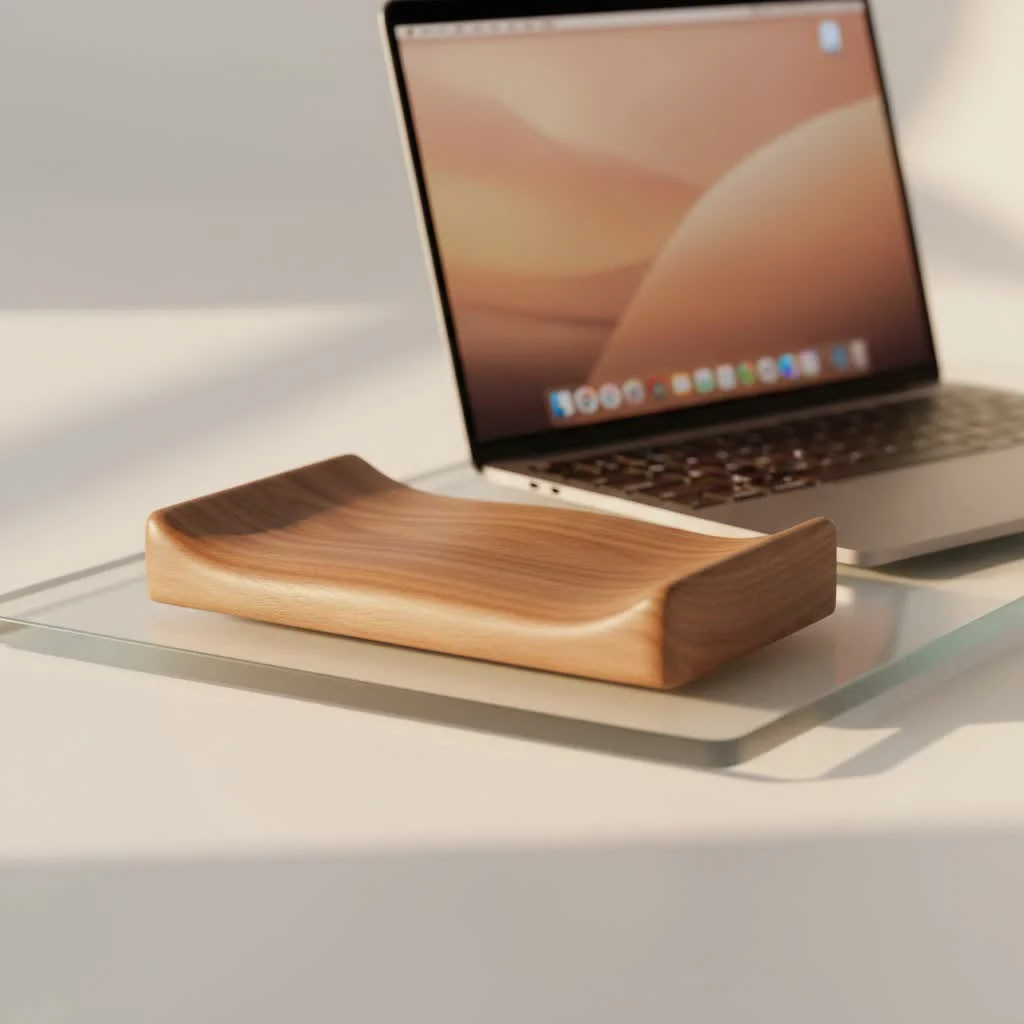
Why Opt for a Personalized Mouse Pad with Wrist Rest?
Beyond the obvious aesthetic appeal, a personalized mouse pad with wrist rest serves multiple crucial functions. It’s about creating an environment that supports your physical well-being while reflecting your individuality.
What are the key benefits of using a personalized mouse pad with wrist rest?
The key benefits include improved ergonomics, reduced risk of repetitive strain injuries like carpal tunnel syndrome, enhanced comfort during long computing sessions, and the ability to express personal style, making your workspace truly yours.
Ergonomics Meets Personal Touch
The primary role of a wrist rest is to maintain a neutral wrist posture, preventing your wrists from bending unnaturally upwards or downwards. This neutral alignment is crucial for reducing pressure on the median nerve, which runs through the carpal tunnel in your wrist. By elevating and supporting your wrist, these pads help prevent common issues like carpal tunnel syndrome, tendonitis, and general wrist fatigue. When you add personalization, you transform a functional tool into an extension of your personality, making your ergonomic setup truly unique.
Exploring Types of Wrist Rests and Materials
The effectiveness and feel of a wrist rest largely depend on its material and design. When it comes to a personalized mouse pad with wrist rest, you have several excellent options, each offering distinct advantages.
What are the most common materials used for wrist rests in personalized mouse pads?
Common materials include gel, memory foam, and sometimes leather or felt, each offering different levels of firmness, softness, and skin-friendliness to support the wrist.
- Gel Wrist Rests: Often filled with a soft, pliable gel, these conform to the shape of your wrist, providing excellent pressure distribution and cooling comfort. They are known for their squishy yet supportive feel.
- Memory Foam Wrist Rests: Made from viscoelastic foam, these wrist rests offer a firmer yet adaptive support. They slowly contour to your wrist’s shape, distributing weight evenly and then returning to their original form, providing consistent support. Many users describe the support as “cushy but firm.”
- Leather Wrist Rests: For a touch of sophistication and durability, personalized leather mouse pads with wrist rests are a fantastic choice. These often feature an ergonomic padded support and can be custom engraved, adding a premium feel and lasting quality.
- Felt/Fabric Wrist Rests: These offer a softer, often warmer feel, and can be customized with various colors and designs. While generally less supportive than gel or memory foam for deep contouring, they still provide a comfortable elevation.
- 3D Ergonomic Designs: Some specialized wrist rests are designed with unique 3D contours that perfectly fit the natural curve of your wrist, aiming to reduce stress on joints and enhance comfort. These often boast “skin-friendly” materials.
The Art of Customization: Making Your Mouse Pad Truly Yours
This is where the “personalized” aspect of a personalized mouse pad with wrist rest truly shines. Modern technology allows for incredible levels of customization, letting you imprint your identity onto your workspace.
How can I personalize my mouse pad with a wrist rest?
|
Our Picks for the Best Wrist Rest in 2026
As an Amazon Associate I earn from qualifying purchases.
|
||
| Num | Product | Action |
|---|---|---|
| 1 | MROCO Ergonomic Mouse Pad with Gel Wrist Rest, Smooth Wrist Support Surface, Non-Slip PU Base for Pain Relief, Comfortable Mousepad for Computer, Laptop, Office & Home, 9.4 x 8.1 in, Cloud Forest |

|
| 2 | GORILLA GRIP Silky Memory Foam Wrist Rest for Computer Keyboard, Mouse, Ergonomic Design for Typing Pain Relief, Desk Pads Support Hand and Arm, Mousepad Rests, Stain Resistant, 2 Piece Pad, Black |
|
| 3 | MEKASS Ergonomic Wrist Rest for Keyboard and Mouse, Soft Memory Foam Keyboard Wrist Rest Set with Non-Slip Silicone Base, Easy Typing, Pain Relief, Comfort for Office, Work, Gaming (Classic Black) |
|
| 4 | MROCO Ergonomic Mouse Pad with Gel Wrist Rest, Comfortable Mousepad with Smooth Wrist Support Surface and Non-Slip PU Base for Pain Relief, Computer, Laptop, Office & Home, 9.4 x 8.1 in, Blue Marble |
|
| 5 | LỖI |
|
| 6 | LỖI |
|
| 7 | MROCO Ergonomic Mouse Pad with Gel Wrist Rest, Smooth Wrist Support Surface, Non-Slip PU Base for Pain Relief, Comfortable Mousepad for Computer, Laptop, Office & Home, 9.4 x 8.1 in, Black Flower |
|
| 8 | LỖI |
|
| 9 | Vaydeer Wrist Rest for Keyboard and Mouse, Computer Ergonomic Wrist Support Pad, Soft Memory Foam Arm Cushion for Desk, Palm Hand Office Laptop Typing |
|
| 10 | Keyboard Stand with Wrist Rest - Comfortable Wrist Pad for Easy Typing, Keyboard Tray for Office, Home, School (Fits Most Standard Keyboards) |
|
You can personalize your mouse pad with a wrist rest by uploading custom photos, company logos, unique designs, or text, often using online design tools that support various file formats like PNG with transparent backgrounds or PSD.
- Photos, Logos, and Text: Whether it’s a cherished family photo, your company’s emblem, an inside joke, or an inspiring quote, you can typically upload any image or text to be printed onto your mouse pad. For the best results, look for services that recommend high-resolution images (300 DPI, 1000 pixels or more) and specific file types like PNG with transparent backgrounds or PSD formats.
- Advanced Features: Some contemporary custom mouse pads go beyond simple printing, offering integrated features like RGB lighting with multiple modes to illuminate your desk, or even built-in wireless phone chargers to keep your devices powered up and your workspace clutter-free. These features add both functionality and a futuristic flair to your personalized setup.
- Ergonomic Shapes and Sizes: Beyond the print, you can often choose from various sizes and ergonomic shapes for the wrist rest itself, ensuring it perfectly complements your mouse and keyboard setup and eases long typing sessions.
The Undeniable Health Benefits of Wrist Rests
As someone who has spent over a decade knee-deep in product development for wrist support accessories, I can’t emphasize enough the importance of proper ergonomics. A personalized mouse pad with wrist rest is more than just a cool gadget; it’s a preventative health tool.
How does a wrist rest protect against common computer-related injuries?
A wrist rest helps protect against injuries like carpal tunnel syndrome by maintaining a neutral wrist posture, preventing excessive bending that can compress nerves and tendons, thereby reducing strain and fatigue over prolonged use.
- Preventing Carpal Tunnel Syndrome: This is arguably the most significant benefit. By keeping your wrist in a neutral position, the wrist rest reduces pressure on the median nerve, lowering your risk of developing carpal tunnel syndrome, a painful condition caused by nerve compression.
- Reducing Wrist Strain and Fatigue: Long hours of computer use can lead to muscle strain and fatigue in the wrists and hands. A supportive wrist rest minimizes this strain, allowing you to work or game for longer periods more comfortably.
- Improving Posture and Comfort: When your wrists are properly supported, it often encourages better overall arm and shoulder posture, contributing to greater comfort and reducing discomfort throughout your upper body.
- Enhanced Productivity: When you’re comfortable and free from pain, you can focus better and maintain your concentration, leading to increased efficiency and productivity during your tasks.
“In my experience designing ergonomic solutions for desk warriors, the most impactful change you can make is ensuring proper wrist alignment,” says Dr. Anya Sharma, a leading ergonomic specialist. “A personalized mouse pad with wrist rest addresses both physical comfort and mental well-being by combining essential support with an element of personal joy.”
Choosing Your Perfect Personalized Mouse Pad with Wrist Rest
Finding the ideal personalized mouse pad with wrist rest isn’t rocket science, but a few considerations can help you make the best choice.
- Material Matters: Consider whether you prefer the soft contour of memory foam, the cool squish of gel, the premium feel of leather, or the unique textures of fabric.
- Size and Shape: Think about your desk space and usage. Do you need a compact pad for a small setup, or a larger desk mat that covers both mouse and keyboard areas? Ensure the wrist rest shape fits your hand comfortably.
- Customization Quality: Look for providers who offer high-resolution printing, vibrant colors, and durable finishes to ensure your personalized design lasts. Don’t forget to check their file requirements!
- Ergonomic Design: Ensure the wrist rest actually supports a neutral wrist position. It shouldn’t be too high or too low for your setup.
- Budget: Personalized items can vary in price. Determine what you’re willing to spend, keeping in mind that an investment in ergonomics is an investment in your health.
Caring for Your Customized Comfort
To ensure your personalized mouse pad with wrist rest remains a comfortable and vibrant addition to your desk for years to come, a little care goes a long way. Most fabric or gel pads can be gently wiped clean with a damp cloth and mild soap. For leather options, specialized leather cleaners or conditioners may be appropriate. Always avoid harsh chemicals or abrasive scrubbing, as these can damage both the material and your custom print. Regular cleaning will keep it looking fresh and hygienic.
Frequently Asked Questions
What is the ideal height for a wrist rest?
The ideal height for a wrist rest allows your wrist to remain straight and aligned with your forearm, keeping your hand slightly elevated off the desk surface without bending your wrist upwards.
Can a personalized mouse pad with wrist rest prevent carpal tunnel syndrome?
While not a guaranteed cure or complete prevention, using a personalized mouse pad with wrist rest can significantly reduce the risk of carpal tunnel syndrome by encouraging proper ergonomic posture and reducing pressure on the median nerve.
Are personalized mouse pads with wrist rests suitable for gaming?
Absolutely! Many gamers spend extended hours at their computers, making ergonomic support crucial. Personalized mouse pads with wrist rests provide the comfort and reduced strain needed for marathon gaming sessions, all while letting you showcase your gamer tag or favorite in-game art.
How durable are the custom prints on these mouse pads?
The durability of custom prints varies by manufacturer and printing method. High-quality sublimation printing on fabric or durable engraving on leather typically offers excellent resistance to fading and wear, ensuring your personalized design remains vibrant over time.
Can I use a separate wrist rest with a regular personalized mouse pad?
Yes, you can certainly use a separate wrist rest with a regular personalized mouse pad. However, an integrated design often provides a more seamless and stable experience, ensuring both elements stay perfectly aligned.
Final Thoughts: Your Desk, Your Comfort, Your Style
Ultimately, a personalized mouse pad with wrist rest isn’t just another desk accessory; it’s a statement. It declares that you value your health, appreciate thoughtful design, and aren’t afraid to let your unique personality shine through, even in your workspace. From preventing common computer-related aches to adding that perfect visual flourish, these ergonomic marvels offer a complete package. So go ahead, choose your design, pick your material, and transform your daily computing experience into one that’s comfortable, healthy, and uniquely, wonderfully you.
Get our weekly buyer guide
Practical specs, not advice. Unsubscribe anytime.